A hobby forum you joined in 2019 gets breached. You had forgotten the account existed. The forum stored nothing valuable: no credit cards, no addresses, just usernames and passwords.
Eight months later someone signs into your online shopping account, changes the delivery address, and orders goods on your saved card. Nobody guessed your password. You handed it over yourself, without realizing, the day you used the same one on a hobby forum and a store.
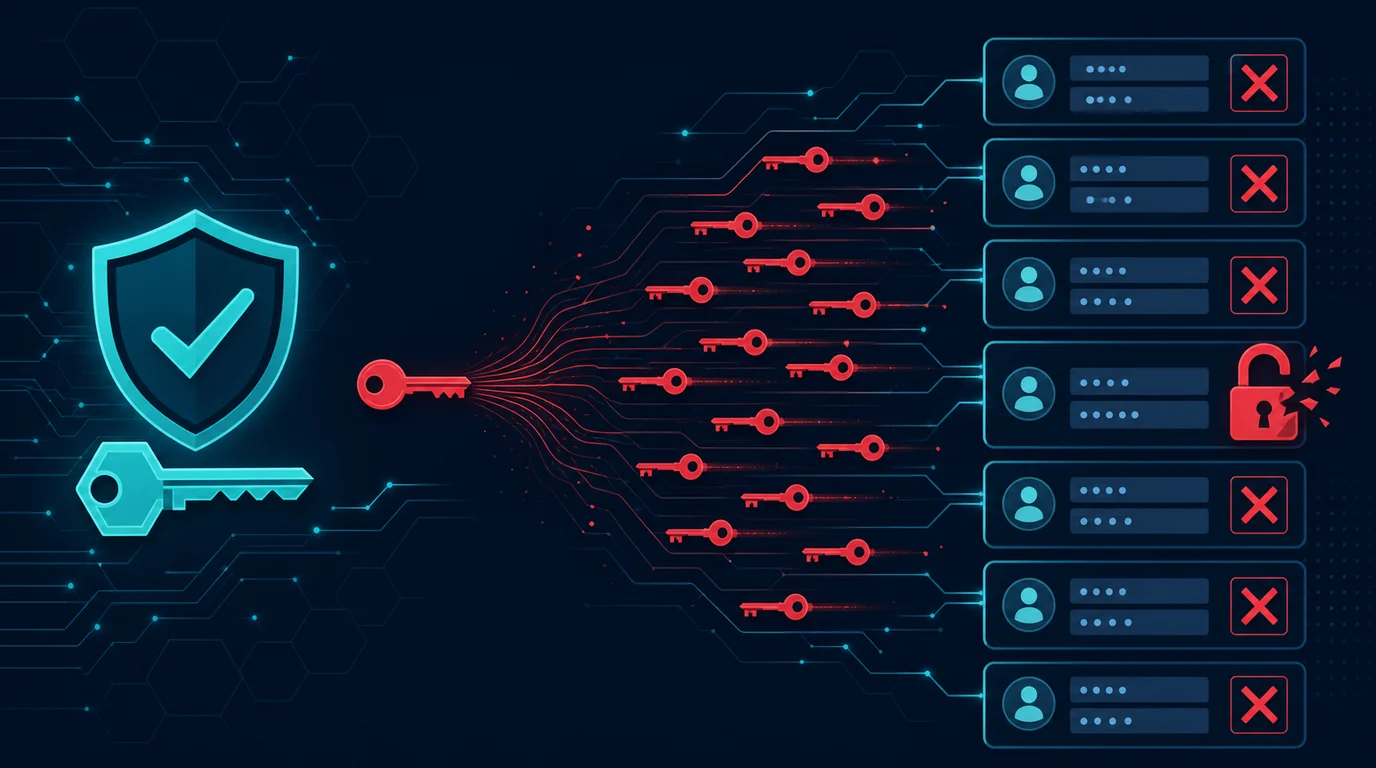
Credential stuffing is the attack built on that habit. Attackers take email and password pairs from one service's breach, then try them automatically across hundreds of other services. They crack nothing, because the password is already correct. All they test is where else you used it.
Why this works at scale
Password reuse rates are very high. Most people hold dozens of online accounts and only a handful of genuinely different passwords. The rest are small variations: a number appended, one letter swapped, the service name inserted. Attackers know these patterns and test the variations too.
Breached credentials are abundant. Billions of email and password pairs from hundreds of breaches circulate on criminal forums, often sold cheaply or shared free. Multiple breaches get merged into single searchable databases.
Automation drops the cost to near zero. Purpose-built tools try thousands of combinations per minute, rotate IP addresses through proxy networks to avoid detection, and adapt to site defenses. A success rate of one in a thousand is profitable when the attempts number in the millions.
Successful accounts have their own resale value. Streaming accounts sell cheaply in bulk. Shopping accounts get used to order goods. Email accounts get used to take over other accounts. Game accounts sell for the items inside. Even the account you consider worthless has a market.
These attacks also harvest data for the next scam. Your inbox reveals which bank you use, what you subscribe to, and who your colleagues are. That information makes the next phishing attempt far more convincing.
Your primary email is the key to everything else
One account sits in a different position from the rest. Your primary email is where every password reset link arrives. Whoever controls it can take over your other accounts one by one without knowing any passwords, simply by clicking forgot password.
Treat your primary email as your highest-protection account. A unique password used nowhere else, non-SMS 2FA, and periodic review of recovery settings. Every minute spent securing this account is worth more than securing ten others.
Consider separating email addresses by function. One address only for banking and financial services, never used to register anywhere else. One for work. One for general signups, forums, and shopping. This separation limits what an attacker reaches from any single breach.
Check your email recovery settings now. The backup address and phone number registered there are alternate entry paths. An attacker who got in often adds their own address so they keep access after you change the password. Delete anything you do not recognize.
Check auto-forwarding rules. This is the step people miss most. An attacker sets a rule forwarding a copy of every incoming message to their address, then signs out. You change your password and feel safe while they keep reading everything. Open the forwarding and filter settings in your email service and review them all.
A password manager solves the actual problem
The advice to use a unique password everywhere is useless without a tool, because nobody can remember eighty random passwords. A password manager removes the need to remember them at all.
The mechanics are simple. You memorize one long master password. The manager holds the rest in an encrypted vault, generates random passwords when you register, and fills them in when you log in. Every site gets a different password that you never learn yourself, which is exactly the point.
Pick one that fits how you work. Browser and operating system built-in managers are already far better than reusing passwords, and they cost nothing. Dedicated managers add cross-platform sync, secure sharing, and breach monitoring. What matters is that you use it daily, not which one has the longest feature list.
Build a master password that is long and memorable. A string of four or five random words is stronger and easier to recall than one short word stuffed with symbols. Write it on paper and store it somewhere safe at home during the transition, until you know it by heart.
Turn on 2FA for the password manager itself. A vault holding all your passwords needs a second layer. Use a hardware key or an authenticator app, not SMS.
Use the built-in password audit. Most managers scan your vault and flag passwords that are weak, reused, or appearing in known breaches. Run it, then work through the findings gradually.
Changing passwords in an order that does not overwhelm you
Eighty accounts feels impossible if you plan to finish in one evening. Work by priority instead.
Start with your primary email. Change it to something random and unique, enable non-SMS 2FA, and review recovery and forwarding settings. Finish this before touching anything else, because this account protects every account after it.
Move to financial accounts. Banking, digital wallets, and investment services. Turn on transaction notifications while you are there so unfamiliar activity reaches you quickly.
Handle accounts holding payment methods. Online stores, subscriptions, and booking platforms. These are favorite targets because the card is already saved and the attacker only has to order.
Secure social media and messaging. Accounts taken over here get used to defraud the people who trust you, and the damage spreads through your circle.
Do the rest as you go. Every time you log into an older service, change the password right then. Within a few months most of your active accounts are unique without you ever setting aside dedicated time.
Close accounts you no longer use. A forgotten old account is liability with no benefit. Every account you delete removes one place your data can leak from.
The layers that make passwords insufficient
Enable 2FA on every service that offers it. This is the decisive defense against credential stuffing, because a correct password alone no longer grants access. Prioritize email, finance, and accounts holding payment details.
Choose your 2FA method by strength. Hardware security keys and passkeys are best because they resist phishing. Authenticator apps come next. SMS is weakest due to SIM swap risk, but it still beats nothing by a wide margin.
Adopt passkeys where services support them. A passkey replaces the password with a cryptographic key stored on your device. There is nothing to steal from the service's database and nothing you can type into a fake site. Support is expanding quickly across major services.
Turn on login notifications. An alert whenever someone signs in from a new device or location gives you early warning. Read these notifications rather than letting them pile up unopened.
Check whether your data has already leaked. Services like Have I Been Pwned show which breaches include your email address. Register your address for automatic alerts so you learn when new breaches surface. Every listed breach means the password on that service needs changing, and so does every other service where you reused it.
Telling credential stuffing apart from other attacks
Calling every account breach "hacking" hides distinctions that determine how you should respond.
Brute force tries many passwords against one account. The attacker does not know your password and tests possibilities one by one. The defense is a long password plus rate limiting by the service. These attacks succeed less and less because modern services lock accounts after a few failures.
Credential stuffing inverts the direction: one password against many accounts. Since each service sees only one or two attempts from a given IP address, rate limiting does not catch it. Password length does not help, because the password is correct. Only uniqueness helps.
Phishing makes you hand the password over voluntarily. A fake login page captures what you type, including 2FA codes from SMS or an app. The defense is checking the domain before typing, and more robustly, using passkeys or hardware keys that technically refuse to work on the wrong domain.
Infostealers take passwords and session cookies straight off your device. This goes beyond passwords, because session cookies keep an attacker signed in even after you change the password. The response must include ending all active sessions, not just a password change.
Service-side breaches are not your fault at all. When a company loses its user database, your password goes out with it regardless of your habits. What stays in your control is making sure that password opens no other doors.
Distinguishing the four matters because the responses differ. Changing a password resolves credential stuffing but not an infostealer. Enabling 2FA stops credential stuffing but not phishing that captures the code. Knowing which one you face determines which step actually closes the gap.
Keeping the habit alive
Migrating to unique passwords rarely fails at the start. It fails a few months later when old habits return. A few things make the change stick.
Make autofill the path of least resistance. Install the password manager browser extension and enable autofill on your phone. Once filling from the vault is faster than typing an old password from memory, you stop reverting without needing discipline.
Store more than passwords in the vault. Security question answers should be random strings you save rather than honest answers findable on social media. Keep 2FA backup codes, card numbers, and account recovery notes there too. A vault holding all of this becomes the first place you open, which reinforces the habit.
Set up emergency access. Good password managers offer emergency contact features or vault sharing with a partner. Without it, losing your master password means losing every account at once. Print your vault recovery key and store it somewhere physically safe.
Schedule periodic reviews. Once a quarter, open the audit report in your password manager, check the active device list on your primary email, and review third-party apps holding access to your accounts. This takes ten minutes and catches problems that accumulate slowly.
Help the people at home use it. Your account security connects to your family's accounts, especially when you share subscriptions, cloud storage, or devices. A family password manager plan gets everyone onto unique passwords without each person having to learn it alone.
Signs your account is already taken over
Pay attention to email you did not request. Password reset notices, verification codes, or setting-change confirmations arriving unprompted mean someone is trying. Do not dismiss these even when the attempt failed.
Be suspicious of an inbox that suddenly goes quiet. Attackers sometimes create rules that immediately archive or delete mail from banks and specific services so you never see transaction alerts. An inbox that got unusually calm deserves a look.
Review active device lists periodically. Every major service shows running sessions and their locations. End any session from a city or device you do not recognize immediately.
If you find unauthorized access, the order matters. Change the password from a clean device, then sign out all sessions, then review recovery and forwarding settings. Changing the password alone does not evict an attacker who holds an active session or has forwarding rules in place.
Check other accounts sharing that password. If one account fell to credential stuffing, others with the same password have either fallen already or will shortly. Change them all, not just the one you caught.
The business side: protecting your users
If you run a service with logins, credential stuffing is your problem too. Users whose accounts get taken over will blame your service, even when the password leaked somewhere else.
Rate limit on several signals at once. Limiting by IP address alone is trivially bypassed with proxy networks. Combine it with per-account limits, per-network-range limits, and behavioral patterns like a sudden spike in failed logins across many different accounts.
Monitor login failure rates in aggregate. Credential stuffing produces a distinctive shape: many different accounts, one or two attempts each, a very low success rate, and a sudden volume spike. System-level monitoring catches this far faster than looking at individual accounts.
Check new passwords against breach lists. When a user registers or changes a password, compare it against databases of known-breached passwords. You can do this without sending their password anywhere, using k-anonymity methods that transmit only part of the hash.
Offer 2FA and passkeys, then make them easy to reach. Features that exist but hide in a deep settings menu go unused. Prompt at the right moment, such as after a user completes a high-value action, and explain the benefit in plain language.
Send login notifications that are actually useful. An alert naming the device, approximate location, and time lets users recognize unfamiliar activity. Include direct buttons to end the session and change the password inside that notification.
Do not reveal whether an email is registered. Error messages that distinguish "email not found" from "wrong password" hand attackers a way to enumerate existing accounts. Use the same message for both.
The short version
Credential stuffing works not because your password is weak but because you used it in more than one place. Length and complexity do not help when the same password already leaked from another service.
Install a password manager, secure your primary email first with a unique password and non-SMS 2FA, then work through financial accounts and accounts holding cards. Enable 2FA wherever it is offered and adopt passkeys when services provide them. Once every account has a different password, one breach stops being every account's problem.