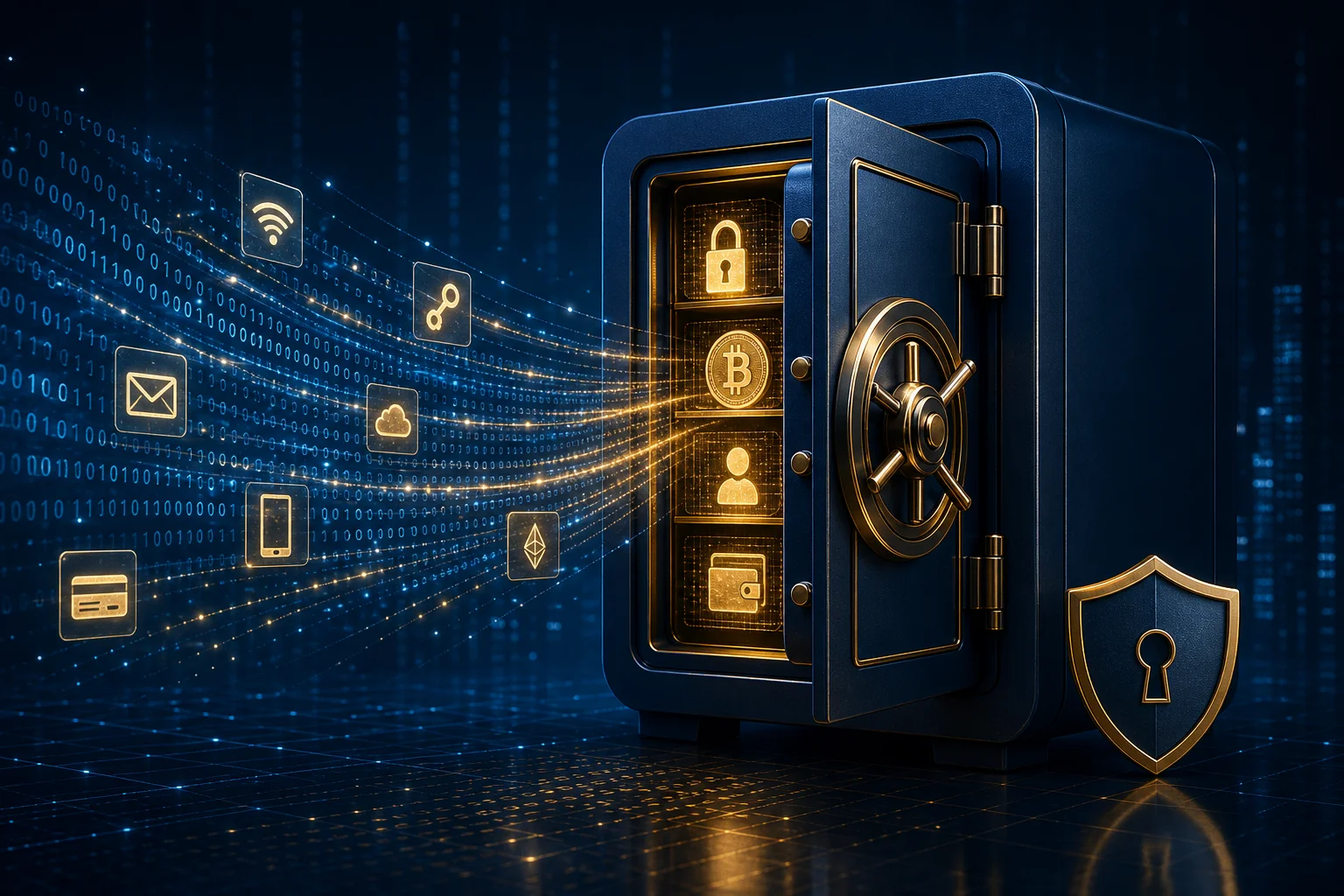
We plan for our physical assets. Wills, trusts, beneficiaries on retirement accounts, transfer-on-death deeds for homes. But ask someone what happens to their Bitcoin, their password manager, their Google Photos, their domain portfolio, or their GitHub repositories when they die, and most draw a blank. The digital assets we accumulate over a lifetime financial, sentimental, professional are often worth more than the furniture and jewelry we meticulously catalog in estate documents. Yet they remain invisible to traditional estate planning.
The problem is not theoretical. Families discover too late that they cannot access a deceased relative's email to close accounts, cannot recover cryptocurrency without seed phrases, cannot retrieve years of family photos from a locked iCloud account, and cannot transfer a domain that expires and gets snapped up by a squatter. Companies have policies, but they vary wildly. Some require court orders. Some require death certificates and proof of authority. Some simply say no. The result is a growing crisis of digital lockout that compounds grief with bureaucracy and financial loss.
This article maps the landscape of digital assets, the legal tools available, the technical solutions built into major platforms, and a step-by-step framework to build a plan that works for your family. It is not legal advice. Consult an estate attorney for your jurisdiction. But the technical groundwork you can do today, without a lawyer, will save your loved ones months of frustration.
What Counts as a Digital Asset
Digital assets fall into categories with different rules, different values, and different recovery paths.
Financial assets include cryptocurrency wallets (hardware, software, exchange accounts), brokerage accounts with digital-only access, PayPal and Venmo balances, loyalty points and airline miles with cash value, NFTs and tokenized assets, DeFi positions, and any online-only financial instrument. These have clear monetary value and clear inheritance paths if credentials exist.
Identity and access assets include password managers, email accounts (often the root of trust for password resets), phone numbers (critical for SMS 2FA), authenticator apps, hardware security keys, SSH keys, GPG keys, API tokens, and identity documents stored digitally. These are the keys to everything else. Lose them, and you lose the kingdom.
Sentimental assets include photos and videos in cloud storage (Google Photos, iCloud, OneDrive, Dropbox), family videos, voice messages, journals, private blogs, social media archives, and messaging histories. These have no market value but infinite emotional value. They are often the ones families fight hardest to recover.
Professional and intellectual property include domain names, websites and hosting accounts, GitHub and GitLab repositories, published works, patents and trademarks managed online, professional portfolios, client lists in CRM systems, and any income-generating digital property. These may have contractual obligations, clients who need transition, and revenue streams that should not evaporate.
Social and communication assets include social media profiles (Facebook, Instagram, LinkedIn, X, TikTok), messaging apps (WhatsApp, Signal, Telegram, iMessage), email correspondence, and community memberships. Platforms handle these differently: some allow memorialization, some allow deletion, some allow transfer to a legacy contact.
Subscriptions and services include SaaS tools, streaming services, software licenses, cloud hosting, domain renewals, and any recurring charge. These drain money from the estate if not canceled. They also represent access that should be revoked.
The first step is an inventory. Not a mental list. A written document, stored securely, updated quarterly. Every asset. Every credential. Every recovery path. Every wish for what happens to it.
The Legal Landscape
Laws vary by country and, in the US, by state. The Uniform Law Commission drafted the Revised Uniform Fiduciary Access to Digital Assets Act (RUFADAA), adopted in most US states. It gives fiduciaries (executors, trustees, agents under power of attorney) legal authority to access digital assets, but with critical limitations.
Under RUFADAA, a user can direct disclosure through an "online tool" provided by the custodian (Google's Inactive Account Manager, Facebook's Legacy Contact, Apple's Digital Legacy). That direction overrides the will. If no online tool exists, or the user did not use it, the will, trust, or power of attorney controls but only if it explicitly grants authority over digital assets. Generic "all my property" language may not suffice. The custodian can also require a court order, and can limit access to a catalog of communications rather than content.
The EU has no unified digital inheritance law. GDPR gives data subjects rights, but those rights die with the subject. Heirs can request access under national inheritance laws, but platforms often resist. Germany's Federal Court of Justice ruled in 2018 that heirs inherit the deceased's Facebook account as a "digital estate," but Facebook appealed and the practical process remains difficult.
Canada, Australia, UK, and other common law jurisdictions rely on existing probate and privacy frameworks. Most have no specific digital asset statute. The result is a patchwork where platform policy often trumps legal theory.
The practical lesson: do not rely on the law to solve this. The law is slow, expensive, and inconsistent. Platform tools, credential sharing, and technical preparation work faster and more reliably.
Platform-Specific Tools
Major platforms have built features for death and incapacity. Use them. They are the most reliable path because they operate within the platform's own system, require no court order, and execute automatically.
Google: Inactive Account Manager
Google lets you set an inactivity timeout (three to eighteen months). If you stop signing in, Google notifies your trusted contacts and shares the data you select: Gmail, Drive, Photos, Contacts, Calendar, YouTube, and more. You can also tell Google to delete the account after sharing. Setup takes ten minutes. Go to myaccount.google.com/inactive. Add trusted contacts. Choose what to share. Set the timeout. Done.
Apple: Digital Legacy
Apple's Digital Legacy (iOS 15.2+, macOS 12.1+) lets you designate up to five Legacy Contacts. They receive an access key. Upon your death, they present the key and a death certificate to Apple. Apple grants access to iCloud data: photos, notes, mail, contacts, calendars, reminders, and device backups. They cannot access Keychain (passwords), licensed media, or payment info. The contact must have an Apple device. Setup: Settings > Your Name > Password & Security > Legacy Contact.
Facebook and Instagram: Legacy Contact
Facebook lets you name a Legacy Contact. They can memorialize the profile (locking it, adding "Remembering," allowing friends to share memories), respond to new friend requests, update the profile photo, and request account deletion. They cannot log in, read private messages, or remove past posts. Instagram (owned by Meta) follows the same system. Setup: Settings > Memorialization Settings.
Microsoft: Next of Kin Process
Microsoft has no proactive tool. The next of kin must submit a request with death certificate and proof of authority. Microsoft may provide a data DVD (yes, DVD) with emails, OneDrive files, and contacts. The process takes weeks. No legacy contact feature exists as of 2026.
Password Managers: Emergency Access
Bitwarden, 1Password, Proton Pass, and others offer emergency access. You designate a trusted person. They request access. A waiting period (configurable, default often seven to thirty days) begins. You get notified. If you do not deny, they get access. This is the single most important tool for digital estate planning because the password manager unlocks everything else.
Bitwarden: Organizations > Emergency Access. Free for personal use. 1Password: Families or Teams plan required. Invite a recovery contact. Proton Pass: Proton Family plan. Emergency kit with recovery phrase.
Cryptocurrency Exchanges
Coinbase, Kraken, Binance, and others have beneficiary forms or inheritance processes. Coinbase requires a death certificate, will, letters testamentary, and government ID. They transfer assets to the beneficiary's Coinbase account. Kraken has a similar process. Binance requires court orders in many jurisdictions. Hardware wallets (Ledger, Trezor, Coldcard) have no recovery without the seed phrase. If you hold self-custody, the seed phrase is the estate plan.
Domain Registrars
GoDaddy, Namecheap, Cloudflare, Porkbun, and others allow account transfer with death certificate and court documents. Some allow adding a "account executive" or "delegate" with limited permissions while alive. Check your registrar. Domains expire. If no one renews, the domain drops and is auctioned. A valuable domain portfolio can vanish in thirty days.
GitHub
GitHub has no legacy contact. The account is personal. Repositories can be transferred to an organization while alive. Create an organization for your projects. Add a trusted collaborator as owner. That organization survives you. Personal repositories die with the account unless a court order compels transfer (rare).
The Technical Framework: Three Layers of Protection
Layer 1: The Master Key (Password Manager + Emergency Access)
Your password manager is the crown jewel. It holds the keys to email, banking, crypto, domains, social media, cloud storage, and every other account. If your family gets into the password manager, they get into everything. If they don't, they get into nothing.
Set up emergency access today. Choose one or two trusted people. Set a waiting period long enough that you would notice and deny a malicious request (fourteen to thirty days). Ensure they know how to use the password manager. Give them a printed quick-start guide: master password hint, 2FA method, emergency access URL.
Store the master password and 2FA backup codes in a physical location your trusted person can access: a fireproof safe, a safety deposit box, a sealed envelope with your attorney. Do not store only digitally. If the only copy is in the password manager, you have a circular dependency.
Layer 2: The Asset Map (Inventory Document)
Create a document (encrypted, printed, or both) that lists:
- Every important account: name, URL, username, purpose
- Which accounts are in the password manager (most should be)
- Which accounts are NOT in the password manager (hardware wallet PIN, safe combination, bank safe deposit box key location)
- Recovery paths for each: email reset, phone reset, support contact, legal process
- Platform legacy tools configured: Google IAM, Apple Legacy Contact, Facebook Legacy Contact, password manager emergency access
- Wishes for each asset: transfer, memorialize, delete, archive
- Financial assets with values: crypto wallets (addresses, not seeds), exchange accounts, brokerage, loyalty programs
- Recurring charges to cancel: subscriptions, hosting, domains, SaaS
Update this quarterly. When you add a new account, add it to the map. When you change a wish, update the map. The map is useless if stale.
Layer 3: The Legal Wrapper (Will, Trust, Power of Attorney)
Work with an estate attorney to ensure your will or trust:
- Explicitly grants your fiduciary authority over digital assets and electronic communications
- References the online tools you configured (Google IAM, Apple Legacy, etc.) and directs the fiduciary to use them
- Grants authority to bypass 2FA, access devices, and compel custodians if needed
- Names a "digital executor" if your primary executor lacks technical competence this can be a co-executor or a designated agent
- Includes a memorandum of digital assets (can be separate from the will, referenced by reference) that you can update without re-executing the will
A revocable living trust often works better than a will for digital assets because it avoids probate, stays private, and allows seamless transition upon incapacity (not just death). The trustee steps in immediately. No court delay. No public record of your crypto holdings.
Cryptocurrency: The Hardest Asset
Crypto deserves its own section because the stakes are highest and the margin for error is zero.
Self-Custody (Hardware Wallets)
If you hold your own keys, the seed phrase (12 or 24 words) is the only way to recover funds. No support line. No password reset. No court order. The seed phrase is the money.
Options for inheritance:
Shamir's Secret Sharing (SLIP-39): Split the seed into N shares, require M to reconstruct. Give shares to multiple trusted people. No single person can steal. M of N can recover. Trezor Model T and some other wallets support this natively.
Encrypted backup with split decryption: Encrypt the seed phrase with a strong passphrase. Split the passphrase among trusted people using a tool like
ssss(Shamir's Secret Sharing Scheme) or a hardware device. Store the encrypted seed in a known location (safe deposit box, with attorney, in a sealed envelope).Dead man's switch: A service that emails the seed to beneficiaries if you don't check in. High risk: the service gets hacked, goes rogue, or fails. Not recommended for large holdings.
Multi-signature wallet: Require multiple keys to spend. You hold one. Trusted family hold others. A lawyer holds one. Upon death, the remaining keys can move funds. Complex to set up. Requires technical competence from signers.
Letter of instruction with seed phrase: Write the seed phrase on paper (or metal). Seal in tamper-evident envelope. Store with will. Simple. Risk: anyone who finds it before death steals everything. Mitigation: store in a safe only the executor can open, or use a bank safe deposit box with dual control.
Exchange Custody
Exchanges handle inheritance through legal process. It works but is slow (months). Fees may apply. The beneficiary must have an account. The exchange may liquidate to fiat. Not ideal for long-term holdings, but viable for trading balances.
DeFi and On-Chain Positions
If you have funds in DeFi protocols (lending, staking, LP positions), the seed phrase recovers the wallet, but the positions may require specific transactions to exit. Document: protocol addresses, token contracts, withdrawal steps. Better: unwind complex positions before they become an estate problem. Simplicity is a gift to your heirs.
NFTs and Tokenized Assets
Same as crypto. The wallet holds them. Document the collections, marketplaces, and any royalty rights. Some NFTs have ongoing revenue (music royalties, game assets). Ensure heirs know how to claim.
Sentimental Assets: Photos, Videos, Messages
These are the assets families regret losing most. They are also the easiest to secure.
The 3-2-1 Rule for Family Media
Three copies. Two media types. One off-site.
Copy 1: Primary cloud (Google Photos, iCloud Photos, Amazon Photos). Shared album with family. Copy 2: Local NAS or external drive at home. Synced automatically. Copy 3: Off-site. Another cloud (different provider), or a drive at a relative's house, or a safety deposit box.
Use a tool like Syncthing, Resilio Sync, or rclone to keep copies in sync without relying on a single vendor. Encrypt the off-site copy with a passphrase your family knows.
Shared Albums and Libraries
Google Photos: Partner sharing. Your partner gets automatic access to all photos (or selected dates/faces). Survives your account if they have their own Google account. iCloud Photos: Shared Library (iOS 16+). Up to five participants. Everyone owns everything. Survives individual accounts. Amazon Photos: Family Vault. Five people. Unlimited full-resolution for Prime members.
Set these up now. They require zero legal process. They just work.
Messaging Histories
Signal: No cloud backup. Local only. Enable encrypted backups to a folder your family can access (if on Android). On iOS, backups are in iCloud (if enabled) but encrypted with device passcode. No easy inheritance. WhatsApp: Google Drive or iCloud backup. Restorable by phone number. If family has the SIM, they can restore. Telegram: Cloud chats are on servers. Secret chats are device-only. No inheritance tool. iMessage: In iCloud backups. Accessible via Apple Digital Legacy.
If messaging history matters, export manually. Signal: Settings > Chats > Chat backups > Export. WhatsApp: Export chat (with or without media). Save to the shared family drive.
Professional Assets: Domains, Code, Reputation
Domains
Domains are assets that expire. If you own domains, they need a renewal plan.
- Enable auto-renew on all domains. Fund the account with a payment method that survives you (shared family card, PayPal with beneficiary).
- Add a delegate/account executive at your registrar if supported.
- List every domain in your asset map with registrar, expiration, and renewal cost.
- For valuable domains, consider a domain holding LLC or trust that outlives you.
Code Repositories
GitHub personal accounts die with you. The fix: create an organization. Transfer important repos to the org. Add trusted collaborators as owners. The org persists. The collaborators maintain access.
For private repos with commercial value, the org should be owned by an entity (LLC, trust) that your estate controls. Consult an attorney.
Professional Reputation
LinkedIn, personal website, blog, portfolio, speaking recordings, published articles. These have career value for heirs (if they continue the work) or historical value. Document: where they live, how to access, what to preserve. Consider a "digital memorial" site that aggregates your professional legacy.
The Social Media Decision: Memorialize, Delete, or Transfer
Each platform differs. Decide per platform. Document in your asset map.
- Facebook/Instagram: Memorialize (default legacy contact action) or delete. Memorialized accounts stay visible, locked, with "Remembering." Deleted accounts vanish after ninety days.
- X (Twitter): No legacy contact. Family can request deactivation with death certificate. No memorialization.
- LinkedIn: Family can request memorialization or closure. Profile becomes "Remembering." Connections remain.
- TikTok: Family can request account removal. No memorialization.
- YouTube: Part of Google. Inactive Account Manager covers it. Can transfer to a brand account while alive.
- Reddit: No legacy tool. Account stays unless family requests deletion with proof.
- Discord: No legacy tool. Account stays.
If you want accounts deleted, give your digital executor a list with credentials (in password manager) and explicit instructions. If you want memorialization, configure the platform tools.
Subscriptions and Recurring Charges
Your estate bleeds money until subscriptions cancel. The average person has twelve to fifteen recurring charges. Streaming, SaaS, cloud storage, domain renewals, gym apps, newsletters, Patreon, OnlyFans, software licenses.
Your asset map must list every subscription: service, cost, billing cycle, payment method, cancellation method. Your digital executor needs this list on day one.
Better: use a single virtual card (Privacy.com, Revolut, bank virtual cards) for all subscriptions. Your executor cancels the card. Everything stops. Or use a subscription manager app (Rocket Money, Bobby, Subby) that exports a list.
Incapacity vs. Death: The Overlooked Scenario
Death is not the only trigger. Stroke, dementia, traumatic brain injury, coma. You are alive but cannot manage your digital life. Bills go unpaid. Domains expire. 2FA codes arrive on a phone you cannot unlock. Accounts lock from inactivity.
A durable power of attorney (DPOA) with explicit digital asset authority solves this. Your agent steps in immediately. No court. No death certificate. But the DPOA must be specific. Generic "manage my financial affairs" may not cover "reset my Google password and download my photos."
Combine the DPOA with the technical tools: Google IAM (inactivity trigger works for incapacity too), Apple Legacy Contact (works with death certificate only, so less useful here), password manager emergency access (works if you don't deny), and a shared 2FA method (hardware key in a safe the agent can access).
Building Your Plan This Weekend
Day 1: Inventory and Tools
Morning: List every digital asset. Use a spreadsheet. Columns: Asset, Category, Value, Location, Credentials In Password Manager (Y/N), Recovery Path, Wish (Transfer/Delete/Memorialize), Legacy Tool Configured (Y/N).
Afternoon: Configure platform tools. Google Inactive Account Manager. Apple Legacy Contact. Facebook Legacy Contact. Password manager emergency access. Add trusted contacts. Set waiting periods.
Evening: Enable 2FA on every account that supports it. Prefer hardware keys. Store backup codes in the physical safe.
Day 2: Crypto and High-Value Assets
Morning: Document every crypto holding. Wallet type, address, seed phrase location (not the phrase itself), exchange accounts, DeFi positions. Decide inheritance method (Shamir, sealed envelope, multisig). Execute the technical setup.
Afternoon: Domains. List all. Enable auto-renew. Add delegates. Transfer valuable domains to an entity if advised.
Evening: Professional assets. GitHub org. Shared access. Document.
Day 3: Sentimental and Social
Morning: Set up shared photo libraries. Google Partner Sharing or iCloud Shared Library. Invite family. Verify they can see photos.
Afternoon: Export critical messaging histories. Save to shared family drive.
Evening: Decide social media wishes per platform. Document in asset map. Configure legacy contacts where available.
Day 4: Legal and Physical
Morning: Meet with estate attorney. Review will/trust/DPOA for digital asset language. Update or create.
Afternoon: Prepare physical packet. Printed asset map (encrypted USB or paper in sealed envelope). Master password hint. 2FA backup codes. Hardware key. Seed phrase backup (if using sealed envelope method). Letter of instruction for digital executor.
Evening: Store packet in fireproof safe. Give spare key to digital executor. Or use safety deposit box with dual access.
Day 5: Test and Communicate
Morning: Test emergency access. Have your trusted person request access to password manager. Verify the flow works. They get notified, wait, then enter.
Afternoon: Walk your digital executor through the asset map. Show them the physical packet location. Explain the priority order: 1) password manager, 2) email, 3) financial, 4) sentimental, 5) professional, 6) social, 7) subscriptions.
Evening: Schedule quarterly review on calendar. Set reminder to update asset map, test emergency access, verify legacy contacts still valid.
Common Pitfalls
Storing the plan only digitally. If the only copy is in the password manager, and the emergency access fails, the plan is gone. Physical backup is mandatory.
Naming a digital executor who lacks technical skill. Your responsible but non-technical sibling cannot recover a hardware wallet seed phrase from a Shamir share. Name a technical co-executor or agent.
Forgetting 2FA. If the only 2FA is an authenticator app on your phone, and your family cannot unlock the phone, they cannot access anything. Hardware keys with backup in the safe. Or printed backup codes.
Assuming the law will handle it. Courts move in months. Platforms move in days (or not at all). Technical preparation beats legal process.
Not updating. You buy a new domain. You open a new exchange account. You switch password managers. The asset map is stale. The plan fails. Quarterly review is not optional.
Overcomplicating. A simple plan executed beats a perfect plan never finished. Start with password manager emergency access and a printed asset map. Add layers over time.
The Gift You Leave
Digital estate planning is not about you. You will not experience the result. It is about the people who remain. The spouse who needs the mortgage login. The child who wants the baby photos. The business partner who must notify clients. The friend who needs to close your accounts.
Every hour you spend now saves them weeks. Every credential you document prevents a lockout. Every legacy contact you configure avoids a court battle. Every conversation you have about your wishes prevents family conflict.
The digital world has made our lives richer, more connected, more productive. It has also made our legacies more fragile. A hard drive fails. A company shuts down. A password is forgotten. The default is loss. The alternative is a plan.
Start today. Open your password manager. Enable emergency access. Add one trusted contact. That single act puts you ahead of ninety percent of people. Build from there. Your family will never thank you directly. But they will not have to ask "how do we get into Dad's email?" while planning his funeral. That is the gift.
Editorial note: This article provides general information, not legal advice. Digital asset laws vary by jurisdiction and change frequently. Consult a qualified estate planning attorney in your jurisdiction before relying on any strategy described here. Platform policies change without notice; verify current features before configuring.