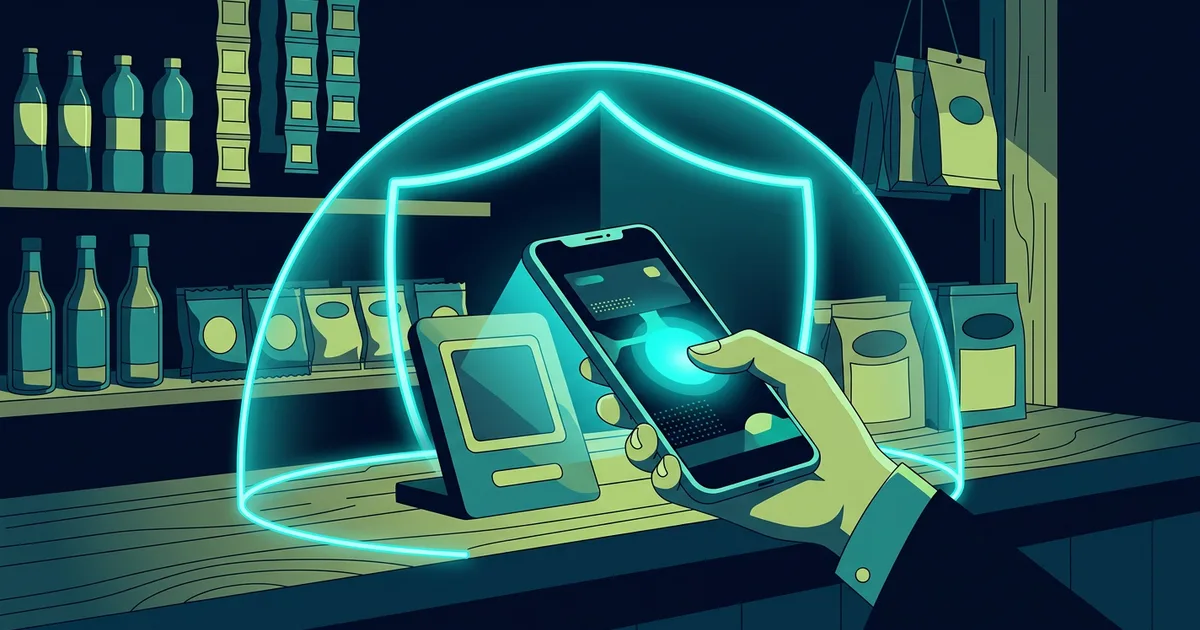
Paying for coffee, fares, bills and shopping via digital wallets has become a habit. The process is just a few taps: open the app, scan the code, enter the amount, then confirm. This speed helps when lines are long, but also gives fraudsters room to pressure victims into action before checking details.
Digital payment risks don't always come from weak applications. Many cases occur because someone scans a replaced QR code, trusts a fake customer service account, provides an OTP code, or approves a transaction when the screen displays the wrong destination. The best protection combines app features with the habit of checking information before money moves.
This article discusses digital wallets and QRIS payments as everyday tools. The goal is not to make you afraid of using digital payments, but rather to help you identify decision points that need attention.
Distinguish between codes for receiving and codes for paying
With QRIS payments, one important pattern to remember: the code you scan to pay will take you to the payment confirmation screen. On the other hand, the person sending you money does not need a PIN, password or OTP code from your phone. They also don't require you to scan the QR they send for the funds to "go through".
Fraudsters often disguise payment requests as the process of receiving money. They claim to be buyers, prize committees, marketplace staff, or customer service. Then they send a QR and say that the code needs to be scanned to receive the transfer. Once scanned, the application screen can display the payment amount and purpose of payment. If you skip that screen, you can approve the funds transfer.
Close the conversation when someone asks for a secret code or forces you to scan something to receive money. Open the official app and check the transaction history yourself. If an incoming transaction does exist, the application will display it without help from anyone else. This simple rule applies to many payment methods: to receive funds, you don't need to provide credentials or send funds back first.
Check three details on the confirmation screen
Before touching the pay button, read the recipient's name, amount and source of request. Take a few seconds even if you're at the checkout. The business name on the screen may differ slightly from the shop sign name because the system uses the name of the business entity, but any major differences are worth asking about. If you're paying for a stall and the screen shows a personal name you don't recognize, cancel and ask for an explanation.
Read the amount again. Fraudsters can cover part of the QR code with a new sticker that leads to another account. In normal situations, the application asks you to enter the amount or displays the amount of the code. Don't rely on the writing on the table or what people around you say. The confirmation screen is the final note before the transaction is sent.
The source of the request means you understand the reason for the payment. Payment for marketplace orders should be made via the checkout flow in the marketplace, not a transfer to an account sent via chat. Bill payments should be initiated from the service provider's application or website. When the flow suddenly switches to private messages, you lose the logging protections and dispute resolution available on the platform.
Safeguard PINs, passwords and one-time codes
The digital wallet PIN is not a code that can be shared with staff, sellers, or friends. Likewise with OTP, verification code, and login link. Legitimate service providers do not require such codes to refund balances, verify prize winners, or cancel transactions. The code serves as your agreement. Anyone holding it can try to log in or approve actions on your behalf.
Use a PIN that is not the same as your phone screen PIN or ATM card code. Avoid birth dates, number sequences, and patterns that are easy to guess. Enable biometrics if your device supports it, but still use a strong PIN as biometrics need backup. Don't write your PIN on casual notes, conversations, or the back of cards.
Check the app's notification and security settings. Enable notifications for logins, device changes, transactions, and payment method changes. Notifications don't replace safe habits, but they give you a chance to act when there's activity you're not doing. If you get a strange notification, don't press the link in the message. Open the app from the official icon and view transaction history.
Protect your cell phone as your financial key
The digital wallet follows your device. Phones that are unlocked, borrowed unattended, or installed with malicious apps can give way to payment accounts. Use a screen lock with a long enough PIN or device password, then enable fingerprint or facial recognition as a practical layer. Set the screen to automatically lock after a short time.
Install digital wallet apps only from official app stores. Check the developer name and number of downloads, especially if you are looking for supporting applications such as customer service or updates. Don't install APKs sent via chat. Fake apps can imitate login pages, read notifications, or request accessibility permissions that allow them to press buttons on your behalf.
Review app permissions. Payment apps may require a camera for code scanning or notifications to provide transaction status, but rarely require access to all contacts, SMS, or accessibility for no apparent reason. If an app asks for inappropriate permissions, seek an official explanation or delete the app. Update the operating system and payment applications as updates close any gaps that have been discovered.
Be wary of QR codes attached or sent via chat
QR codes are not evil. The code only stores information that the phone reads. The problem arises when you don't know who created it or where the code leads. At the cashier's desk, pay attention to whether the code looks like a new sticker covering the old code, is torn, or is pasted sloppy. If in doubt, ask the officer and look at the recipient's name on the application before paying.
Codes sent via chat require greater attention. Fraudsters can say the code is for a balance claim, refund, store verification, or gift. Don't scan codes whose purpose you don't understand. If the code opens a site, check the domain before entering the information. If the code opens a payment application and asks you to confirm the amount, treat it as a payment, not a receipt of funds.
Merchants also need to manage the code well. Store the printed code in a location that is easy to monitor, periodically check for foreign stickers, and match the business name that appears on the transaction. If the store uses dynamic codes, make sure the cashier's device is locked and application access is restricted. Customers will be more confident when the cashier gives them time to check details.
Customer service and refund fraud
Fake customer service accounts often appear when someone writes a complaint in the comments column or on social media. The perpetrator contacts the victim via private message, uses a logo, and offers a fast refund. They then ask the victim to fill out a fake form, provide an OTP, install a screen sharing app, or transfer a "verification fee."
Use the help menu within the app or official site. Don't choose a help number from a search engine ad without checking the domain. If an account contacts you first and asks for confidential data, consider the conversation untrusted. Note your problem, close the chat, then create a ticket via the official channel.
Legitimate refunds usually follow transaction history and service policies. You may need to provide an order number or select a related transaction, but don't need to hand over your PIN, OTP, or full access to your phone. Read the refund amount displayed. Don't approve outbound transactions in the name of "refund processing".
When the phone is lost or the transaction is unknown
Time matters when the phone is lost. From another device, use the official features to lock or wipe your phone if necessary. Contact your carrier to have your SIM card blocked if you can't control the number. Then contact the digital wallet provider via official channels to report the lost device and request account security. Don't wait to see unknown transactions.
If you find an unfamiliar transaction, take a screenshot of the history, note the time and amount, and report it immediately. Change the PIN and associated password of a secure device. Check for new devices, new payment methods, or email address changes. Do not delete evidence notifications. Service providers will need details to trace the incident.
For accounts or cards connected to digital wallets, also monitor bank statements. Scammers sometimes try small transactions to make sure the payment method is active before trying larger amounts. Report transactions you don't recognize, no matter how small.
Example situation: fake buyer sends a QR code disguised as a way to receive funds
Sari sells used goods through social media. A prospective buyer said he wanted to pay via QRIS and sent a QR code. He explained that Sari had to scan the code to receive payment. Sari opened the scanner from the digital wallet application, but the next screen displayed a pay button and an amount of IDR 850,000. He stopped before entering the PIN.
Sari then checked the conversation again. A new buyer account is created and continues to insist that the transaction is completed within five minutes. He blocked the account, saved screenshots, and didn't provide any code. Sari understands that the process of receiving money does not require her to approve payment. One habit of reading the confirmation screen saves the existing balance.
Habits that make transactions safer
Save balance as needed. Separating the daily balance from the main account limits the impact if a payment account goes wrong. Adjust daily transaction limits if the service provides them. Avoid connecting too many cards or accounts if they are not in use. The fewer active payment methods you have, the easier it is to monitor changes.
Use a connection you trust when setting up an account, changing a PIN, or connecting an account. If you must use public Wi-Fi, don't make security changes or large transactions. Mobile data usually poses lower risks for financial matters. Keep checking app addresses and notifications, as a secure connection doesn't protect you from scams that ask for approval themselves.
Don't show personal QR codes or balances in public posts. People who want to send funds simply get a code through the channel you choose. Screenshots showing full names, telephone numbers, or transaction history can be used by perpetrators to create more convincing messages.
Checklist before paying
- I opened the payment app myself, not from a link or code a stranger sent.
- I understand whether this transaction is a a payment or a receipt of funds.
- The recipient name matches the purpose of the transaction.
- The amount on the screen is the same as the amount I agreed to.
- I do not give anyone my PIN, OTP or screen access.
- I have a record of the order or reason for payment.
- I will check notifications and history once the transaction is complete.
Frequently asked questions
Is QRIS safe to use in small shops?
QRIS can be used safely if you check the confirmation screen and recipient name. The size of the business does not determine the security of the code. Importantly, the code is under the management of the merchant and the details on the app correspond to your transaction.
Do I need to share QR to receive money?
You can share your QR payment code if you want to receive payment, but the recipient does not need to ask for a PIN or OTP. Do not scan their code to receive funds. Check the instructions in your application if you are unsure about the receipt flow.
What should I do if I make a payment incorrectly?
Save proof of transaction and immediately contact the service provider via official channels. Explain the amount, time and purpose of the transaction. Do not contact the recipient with threats or send additional money. Possible resolution depends on service provider policies and funding status.
Can phone numbers be used to break into digital wallets?
Telephone numbers are often one of the verification routes. Protect operator accounts, do not share OTPs, and report immediately if signal is lost for no reason. Use a stronger authentication method if the app provides one.
Four circumstances that require extra checks
When buying from a new seller
Low price offers, limited stock, and invitations to move to private chat often encourage buyers to pay immediately. Check seller reputation through marketplace tools, read return policies, and use in-platform checkout when available. Don't consider product photos or testimonial screenshots as sole evidence. Fake sellers can use materials from other stores. Save conversations, order details, and proof of payment on the same platform so you have a record if you need to raise a dispute.
When selling goods to strangers
Legitimate buyers only need to use the normal payment method. They don't need to send a QR for you to scan, ask for a verification code, or ask you to install an app. Don't send items based on transfer screenshots. Check your balance or transaction history on your own app. If meeting in person, choose a safe place and verify payment before handing over the goods. Don't take a photo or share the full app screen because it may show balance, numbers, or other notifications.
When receiving a gift, refund, or assistance message
Messages promising additional balance often use logos and language similar to those of the service provider. Check if the same information appears in the official app or verified account. Legitimate giveaways have rules that can be read without sending a PIN or fees. A valid refund refers to a transaction that actually occurred. If you do not have a suitable transaction, do not follow the "cancel" steps sent via chat.
When the device is borrowed or lost
Don't leave the payment application open when the phone is being borrowed, even by someone you know. Screen lock and biometric features provide clear boundaries. Once you get your phone back, check your transaction history if there's any reason to be concerned. For lost devices, act through the official channel from another device. Holding off in the hope that the phone will be found soon can give the perpetrator time to open notifications, change the recovery method, or try the PIN.
Create easy-to-track payment records
The habit of saving evidence does not mean that you have to save all screenshots without rules. For important payments, save the reference number, date, purpose and reason for the transaction in a secure folder or notes app. For marketplace orders, use the order number from the platform. These notes are helpful when you discover foreign transactions, request refunds, or compare transfers.
Separate transaction notifications from promotions if the app allows. Important notifications will be easier to see when they're not drowned out among offers. Review your history once a week, especially if you use multiple payment apps. Match transactions to daily needs and ask immediately when there is a recipient's name you don't recognize. This habit doesn't take long, but it gives you a fresh memory when you need to make a report.
Limits to keep in mind when helping others
Friends or family who have trouble using apps may ask you to hold their phone. Help them understand the screen without asking for or saving a PIN. If you need to accompany the transaction, let the account owner enter the secret code himself. Don't register financial accounts in your name for someone else to use, and don't lend out accounts to receive funds whose origins are unclear. Boundaries like these protect all parties from misunderstanding and abuse.
When the app offers new features
New installments, investments, credits, rewards, or integration features may change the information and permissions you agree to. Read the summary of costs, limits, who receives data, and how to disable the service before enabling it. Don't make financial decisions from urgent pop-ups. Close the notification, go to the official help center, then consider whether it's a feature you really need.
If the family uses one device
Payment accounts are personal even if the phone is shared. Create separate device profiles when available, don't save PINs in family chats, and enable screen lock. Teach family members that the verification code is confidential. This habit prevents accidental errors while reducing the opportunity for fraud.
Also note down the official helpline number before any problems arise. When panicked, it is easier for people to press links or call fake numbers. Contacts you save from official apps provide a safer path to ask questions or make reports.
Check the balance and destination, then pay only when both are clear.
Do not rush.
Stop and check.
Sources and further reading
- Bank Indonesia: QRIS
- OJK: Consumer Protection Portal
- CISA: Secure Our World
- Komdigi: Content Complaints
Editorial note: Use helpline numbers and forms only from the service provider's official app or website. Dispute procedures and protection limits may vary for each transaction.