Your main email appears everywhere: online shops, loans, newsletters, forums, e-wallets. One breach in one shop puts your email on spam lists and login attempts elsewhere.
Effective light solution is email alias. This article shows how alias works, which services are good, and habit to use alias so main email stays clean.
What is email alias
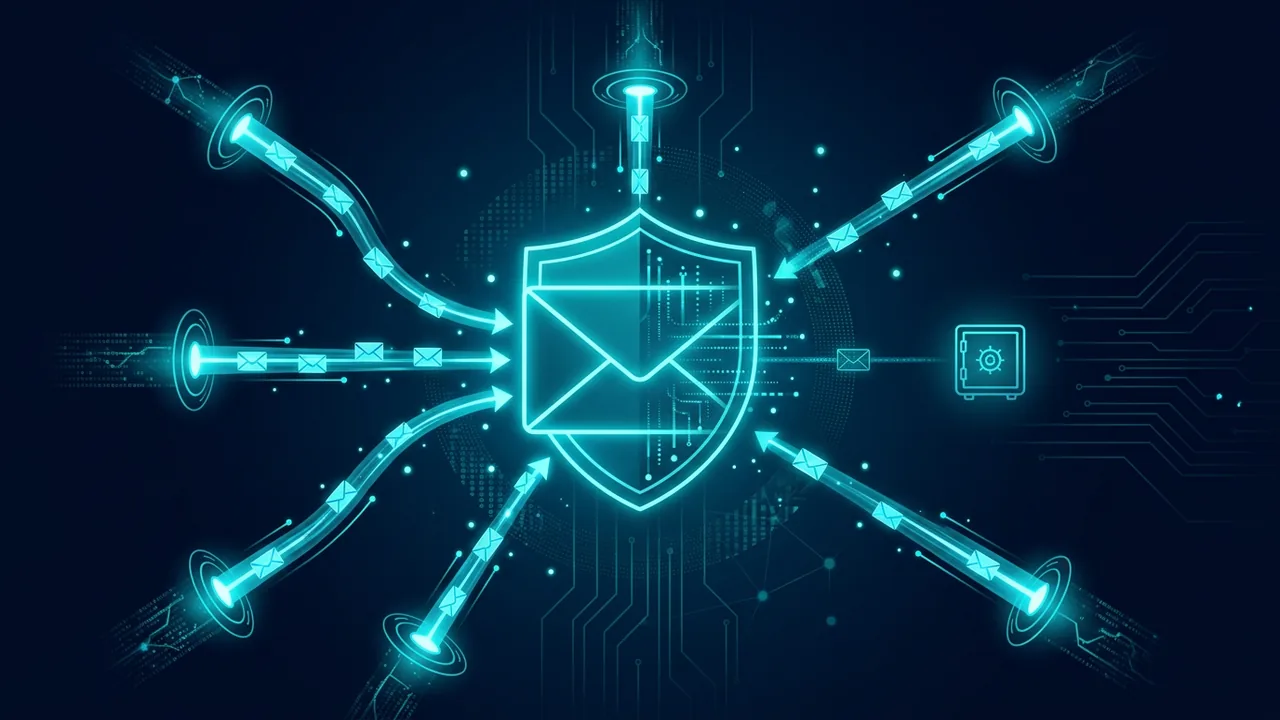
Email alias is additional email address forwarding messages to your main email without creating new account.
Example: main email budi@gmail.com. You create alias budi+shopee@gmail.com or random123@youralias.duck.com that still lands in main inbox.
If alias leaks or gets spam, you disable that alias without changing main email.
Different from second email, alias does not need new password. Management in one inbox.
Why alias reduces breach risk
Three reasons.
Isolation. Each service gets different alias. Shopee gets alias A, TikTok Shop gets alias B. If alias A leaks in Shopee breach, you know leak source and only disable alias A. Main email stays safe.
Anti credential stuffing. Actors who get email plus password from Shopee breach will try login at bank with same email. If you use different alias per service, actor does not know your bank email.
Anti spam and tracking. Services sell email data to advertisers. If you use unique alias per service, you can track who sold your data. Many users report gambling spam after registering in certain service, and alias helps prove source.
Alias is not magic. Alias still needs strong password and 2FA on main email. Alias only reduces exposure.
Types of email alias you can use
1. Gmail plus addressing
Gmail supports plus addressing. name+shopee@gmail.com still goes to name@gmail.com.
How: when sign up at Shopee, write budi+shopee@gmail.com. In Gmail filter, create automatic label for each alias.
Pros: free and easy. Cons: actors know to strip + and get main email. Some sites reject address with + sign.
2. Apple Hide My Email
If you use iPhone and iCloud+ ($0.99 per month), Apple gives Hide My Email feature.
How: open Settings > iCloud > Hide My Email > Create New Address. Apple creates random address @icloud.com forwarding to your inbox. You can create hundreds aliases and disable anytime.
Example: x7y9z@icloud.com for Tokopedia signup. If Tokopedia breaches, disable that alias, main untouched.
Hide My Email also integrated in Safari when registering on websites, so you do not type manually.
3. Firefox Relay
Firefox Relay gives 5 free aliases, unlimited if premium about $1 per month. Address format @relay.firefox.com.
How: install Firefox Relay add-on, click Relay icon in email field when signing up, pick Generate Alias.
Relay can also remove trackers from email before forwarding, plus phone alias to protect phone number.
4. SimpleLogin (Proton)
SimpleLogin is open source alias service now owned by Proton. Free 15 aliases, premium unlimited plus custom domain.
Pros: you can use own domain example @alias.yourshop.com looking professional. Fits small business needing different emails for suppliers, buyers, newsletters.
SimpleLogin also supports PGP encryption for forwarding.
5. DuckDuckGo Email Protection
Free, format @duck.com. DuckDuckGo removes hidden trackers in email and forwards to main email. No extension needed, just sign up at duckduckgo.com/email.
Pros: high privacy and free. Cons: not as flexible as SimpleLogin for custom domain.
6. Addy.io (AnonAddy)
Similar to SimpleLogin, supports many aliases and custom domain. Free 20 shared aliases.
Pick one service and stay consistent. Do not create aliases in 5 different services because you will confuse where to disable.
Daily use scenario
Imagine main email budi.main@gmail.com.
Create alias pattern:
- Shopping:
budi+shop-shopee@gmail.comor relay aliasbudi-shop-xyz@relay.firefox.com - Loans and financial: DO NOT use alias. Use main email most secure with hardware 2FA, because banks need strong identity verification.
- Newsletters and promo:
budi+promo@gmail.comor DuckDuckGo alias. Disable if spam. - Forums and free trials: one-time alias disabled right after trial.
- Freelance work:
budi+client-name@so you know which client spams.
Store alias list in password manager. Example in Bitwarden, entry Shopee username fill with alias you use, not main email. When breach happens, you know which alias leaked.
15-minute setup for beginners
- Open password manager, create folder Email Alias.
- Register one alias service, example Firefox Relay free.
- Create first 3 aliases: for shopping, newsletter, trial.
- Test: register in service with alias, check if verification email lands in main inbox.
- Create filter: in Gmail Settings > Filters > create filter if to: shopping alias, give label Shopping.
- Note in simple sheet: alias, service, creation date.
After 1 week, you will get used to using alias for each new signup.
Response when alias leaks and gets spam
You get gambling spam on alias only used for one shop.
Steps:
- Open alias dashboard (Relay, SimpleLogin, iCloud).
- Block or disable that alias. Email to that alias no longer forwarded.
- Change email in related service to new alias, or delete account if service not important.
- Check HaveIBeenPwned whether main email also appears in same breach. If yes, change password in that service and other services with same password.
- If alias uses Gmail plus addressing, you cannot disable, so create filter to auto-delete email to that alias.
Blocking alias faster than changing main email in 50 services. You save hours.
Email alias for small business
Small business often uses single email shop@gmail.com for all suppliers, marketplaces, customers. If that email leaks, spam enters and phishing risk rises.
Use alias to separate functions:
order@alias.yourshop.comto receive marketplace orders via SimpleLogin custom domain.supplier@alias.yourshop.comfor supplier communication.promo@alias.yourshop.comto register free tools.
If supplier leaks and supplier alias gets spam, you only change supplier alias, not order flow.
Custom domain alias also builds trust. Customers see email from shop domain, not random Gmail.
Cost SimpleLogin custom domain about €25 per year. Cheaper than manual spam cleaning cost.
Common mistakes using alias
Using alias for bank recovery. Bank needs stable email verifiable with ID. If you disable bank recovery alias, you lock yourself out. For banks and main email, use most secure main email.
Forgetting to note alias. Register with random alias without saving in password manager. When you want to login, you forget which alias used. Always save alias in same password manager entry.
Creating alias with easy guessable pattern. budi+shopee, budi+tokopedia easily guessed by actors knowing plus addressing. Better random alias from Relay or SimpleLogin for higher security.
Using alias on services rejecting alias. Some services reject domains @relay.firefox.com or @duck.com. For those, use plus addressing Gmail or Hide My Email iCloud more accepted because @icloud.com domain common.
Not enabling 2FA on alias dashboard. Alias dashboard itself becomes target. If your Relay account gets hacked, actor sees all aliases and forwards. Enable 2FA on Relay/SimpleLogin accounts.
Monthly email alias checklist
- How many active aliases? Disable not used for 3 months.
- Any alias suddenly receiving spam? Block and replace.
- Did password manager store all aliases correctly?
- Is main email still clean without spam? If spam rises, audit which alias leaked.
- Is alias dashboard 2FA enabled?
- Is custom domain alias still valid and not expired?
Print checklist and store in digital security folder.
Sources and tools
- Firefox Relay
- Apple Hide My Email
- SimpleLogin
- DuckDuckGo Email Protection
- HaveIBeenPwned
- CISA: Use Strong Passwords and Unique Emails
Editorial note: This article is defensive. Pick one alias service with clear reputation and encryption. Do not use shady alias service asking your main email password. Alias helps privacy, but not replacement for unique password and 2FA.
Frequently asked questions
Is email alias legal?
Yes. Alias is official feature from email providers. Many companies use aliases for operations.
Does alias slow email?
Not significantly. Forward happens within seconds. For important transactions like bank OTP, better use main email to avoid delay.
Can I use alias to register loan app?
Not recommended. Loan apps need ID verification and email matching civil registry data. Use main email for financial services.
What difference between alias and second email?
Second email needs separate login, separate password, separate storage. Alias only forwards to main email, more practical.
Is Gmail plus addressing safe?
Fairly safe to reduce spam, but not to hide main email from advanced attacker because attacker can strip + part.
How if service rejects Relay alias?
Use Hide My Email Apple or Gmail plus addressing. Two options more accepted by sites because iCloud and Gmail domains common.
Can alias be used to reply?
Yes. In SimpleLogin and Relay premium, you can reply from alias and recipient sees alias, not main email. Good for privacy when contacting unknown sellers.
Configuring SPF, DKIM, DMARC for custom domain alias
If you use custom domain for alias, configure SPF and DKIM so email does not go spam.
In Cloudflare, add SPF TXT record:
v=spf1 include:_spf.google.com include:spf.simplelogin.co ~all
For DKIM, SimpleLogin gives DKIM keys you must add as TXT. After that, verify in SimpleLogin dashboard.
DMARC helps prevent spoofing:
v=DMARC1; p=quarantine; rua=mailto:dmarc@yourshop.com
Without SPF/DKIM, email from custom domain alias often goes to Gmail spam. With correct setup, deliverability rises above 98 percent.
Note config in internal documentation and check every 6 months.
90-day roadmap for family
Week 1-2: Register Firefox Relay, create first 3 aliases for shopping and newsletters, store in password manager, create Gmail filter.
Week 3-4: Migrate 20 old services still using main email to new alias. Start from services often spamming. Disable old leaked alias.
Month 2: Setup custom domain via SimpleLogin if small business. Educate admin team how to differentiate real order email from phishing using wrong alias.
Month 3: Audit inbox, count spam reduction, make 1-page internal report. Train new employees about alias and phishing.
Roadmap makes migration not disrupt daily operations.
Mistakes making alias ineffective
Using same alias for all services. If you use budi+promo@gmail.com for 30 services, one breach still opens all. Use random unique alias per service for maximal isolation.
Storing alias in phone notes without password manager. If phone lost, alias list lost. Always store in encrypted password manager.
Forgetting to disable leaked alias. Alias receiving 50 gambling spam per day must be disabled, not left. Disable within 5 minutes via dashboard.
Using free alias from service with unclear reputation. Shady service can read your email. Choose open source service with audit.
Not educating family. Family still uses main email to register online games prone to breach. Invite family to use alias for games and forums.
Additional FAQ and advanced mitigation
Many ask whether solutions are free. Most are free, some need small fee. Firefox Relay free 5 aliases, SimpleLogin free 15, iCloud Hide My Email needs iCloud+ $0.99. For small business, €30 per year for custom domain worth time saved.
Does this hold against advanced attacks? No solution 100 percent. But alias, passkey, IoT isolation reduce 80 percent opportunistic attacks that become majority of small business incidents. Targeted APT attacks need deeper defense.
How if employees refuse new SOP? Education with real examples more effective than force. Show case of Bali cafe rating dropping because fake QR, or Jogja boarding house CCTV video leak. Real cases make people care.
Do you need expensive consultant? For small business with customer data under 10k, 1-page SOP plus monthly checklist enough. Consultant needed if you manage sensitive data like national ID, ID photo, or big financial data and need DPIA per PDP law.
How to measure success? Count simple metrics: spam per week, failed login attempts, number IoT devices updated. Note in sheet monthly. If numbers go down, SOP works.
One principle: security not one-time project, but monthly habit 10-30 minutes. Consistency more important than expensive tools.
Additional checklist: check whether password manager backup encrypted in cloud, check whether IoT device still has Telnet port 23 open, and check whether email alias still forwards correctly. Three checks take 5 minutes but prevent 3 main attack vectors: credential leak, botnet, and mail misdelivery.
For small business, make calendar reminder every Monday morning: check admin logs, check backup, check updates. Automatic calendar more effective than memory.
Customer education also part of responsibility. Put small poster at cashier: "We never ask OTP via WhatsApp, beware fake QR". Physical poster reminds customers and reduces fraud victims impersonating your shop.
Finally, simple 1-page documentation stored in shared Drive more useful than 20-page doc unread. Start with 1 page, then improve monthly based on incidents or simulations.
Additional checklist: check whether password manager backup encrypted in cloud, check whether IoT device still has Telnet port 23 open, and check whether email alias still forwards correctly. Three checks take 5 minutes but prevent 3 main attack vectors: credential leak, botnet, and mail misdelivery.
For small business, make calendar reminder every Monday morning: check admin logs, check backup, check updates. Automatic calendar more effective than memory.
Customer education also part of responsibility. Put small poster at cashier: "We never ask OTP via WhatsApp, beware fake QR". Physical poster reminds customers and reduces fraud victims impersonating your shop.
Finally, simple 1-page documentation stored in shared Drive more useful than 20-page doc unread. Start with 1 page, then improve monthly based on incidents or simulations.
Additional checklist: check whether password manager backup encrypted in cloud, check whether IoT device still has Telnet port 23 open, and check whether email alias still forwards correctly. Three checks take 5 minutes but prevent 3 main attack vectors: credential leak, botnet, and mail misdelivery.
For small business, make calendar reminder every Monday morning: check admin logs, check backup, check updates. Automatic calendar more effective than memory.
Customer education also part of responsibility. Put small poster at cashier: "We never ask OTP via WhatsApp, beware fake QR". Physical poster reminds customers and reduces fraud victims impersonating your shop.
Finally, simple 1-page documentation stored in shared Drive more useful than 20-page doc unread. Start with 1 page, then improve monthly based on incidents or simulations.
Additional checklist: check whether password manager backup encrypted in cloud, check whether IoT device still has Telnet port 23 open, and check whether email alias still forwards correctly. Three checks take 5 minutes but prevent 3 main attack vectors: credential leak, botnet, and mail misdelivery.
For small business, make calendar reminder every Monday morning: check admin logs, check backup, check updates. Automatic calendar more effective than memory.
Customer education also part of responsibility. Put small poster at cashier: "We never ask OTP via WhatsApp, beware fake QR". Physical poster reminds customers and reduces fraud victims impersonating your shop.
Finally, simple 1-page documentation stored in shared Drive more useful than 20-page doc unread. Start with 1 page, then improve monthly based on incidents or simulations.