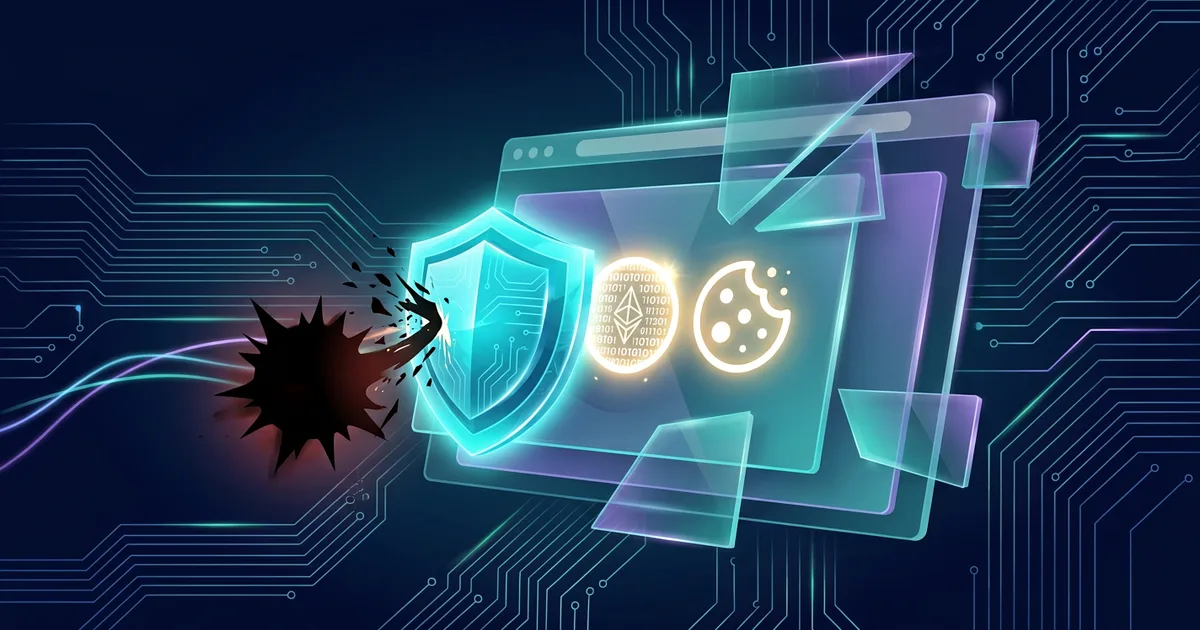
Many people protect accounts with strong passwords and two-factor authentication. Both steps are important, but there is another threat to understand: information-stealing malware, or infostealers. This type of malware is designed to collect data from devices, especially browsers. Targets can include saved passwords, session cookies, login tokens, history, forms, crypto wallets, files, and device information.
A session cookie or session token is temporary proof that you have logged in to a service. When the browser saves active sessions, you don't have to enter a password every time you open a site. If the attacker steals a valid session, they may try to log in without knowing your password. This is the reason why account security needs to go hand in hand with device and browser security.
This article does not teach how to create or use malware. The focus is on identifying the source of infection, reducing opportunities for theft, and responding in the appropriate order if you suspect a device is infected.
How infostealers get in
Infostealers often come in through plain-looking downloads. Examples are pirated apps, activators, game mods, free video editing tools, browser extensions, documents that request macros, or fake updates. The attackers also use malicious ads that redirect users to dummy download pages. Product names, logos and site appearance can be made similar to well-known services.
Phishing messages can carry attachments or links to malicious files. The message may claim to be from a courier, bank, school, tax service or co-worker. Don't judge safety just from the sender's logo or name. Check the sender's address, link domain, and the reason why you're being asked to download something. Go to the official site yourself if you really need to install the update.
Shared devices can also be a risk pathway. One person installs unofficial software, then all accounts opened through that device's browser are exposed. Separate work accounts and personal accounts whenever possible. Don't use a shared laptop to log into financial services or administrator accounts.
Understand the data the malware is looking for
Browsers store a lot of information to make things easier for users. Browser password managers can store credentials. Cookies keep sessions active. Autofill stores addresses and sometimes payment data. History and bookmarks can give attackers an idea of the services you use. Extensions can have permission to read or change the contents of a page.
An infostealer can also search for files with interesting names, such as passwords, backups, taxes, wallets, invoices, or identity documents. Developer configuration files and access tokens can be targeted on work devices. The attacker does not need to take all the data to cause problems. A single email session token or marketplace account can pave the way for password resets, fraud against contacts, or theft of funds.
Don't panic and delete all browsers without a plan. You need to understand which accounts may be unlocked from the device and what actions need to be prioritized. Main email, password manager, banking, digital wallet, work accounts, and social media usually come first.
Reduce the chance of infection
Install software only from official app stores or developer sites. Type the site address yourself or use the bookmark you created earlier. Be careful with advertising results in search engines, especially when searching for popular tools, drivers, or updates. Slightly different domain names can lead to malicious download pages.
Don't use pirated software or activators. Legal and support issues aside, such files often harbor malware. If software cost is an issue, look for an official free version, a trusted open source alternative, or an educational discount program. The small savings are not worth the risk of losing email or account access.
Update operating systems, browsers and applications. The update closes a loophole that criminals can use without explicitly asking you to download the file. Delete apps and extensions you no longer use. For retained extensions, check their developers, reviews, permissions, and functional requirements. Extensions that can read all pages should be truly trusted.
Use a standard account for daily work on the computer if the system supports it. Don't always use an administrator account. This limit can reduce the malware's ability to modify the system. Enable the device's built-in protection and let the security scan run.
Manage sessions and passwords better
Use a trusted password manager and protect it with unique passwords and two-factor authentication. A password manager doesn't make your device malware-proof, but it helps you use different passwords for each service and speeds up recovery. Don't save the password list in a regular document on your Desktop or notes app without encryption.
Enable phishing-resistant two-factor authentication if available, such as a passkey or security key. This method can make things difficult for attackers who only have the password. Keep in mind that active sessions may need to be revoked from the security panel if the device is infected. Once you've secured your account from a clean device, use the sign out from all devices or manage sessions feature to disconnect the old token.
Don't keep all important accounts open on one browser. Exit high-value services after completion if the device is not personal or shared. Use separate browser profiles for work and personal. Also separate high-risk activities, such as testing extensions or downloading files, from profiles that store financial sessions.
Signs to check
Infection is not always visible. However, you need to watch out for logins from foreign locations or devices, unsolicited password reset emails, new email forwarding rules, unknown transactions, messages sent without your knowledge, or extensions that appear on their own. Browsers that suddenly open ads, high processor usage for no reason, or security apps that turn off are also worth checking.
One sign does not always prove the presence of an infostealer. A login notification may appear because you are using a new device. However, several signs at once require a quick response. Don't just change the password of a possibly infected device, as malware can steal new passwords or tokens generated afterward.
If you suspect your device is infected
Disconnect a device's internet connection when you see clearly suspicious activity and need to stop malware communications. Don't log in to important accounts from that device. Use another device you trust to change the passwords for your primary email, password manager, financial accounts, and work accounts. Check the recovery address, incoming devices, forwarding rules, allowed applications, and active sessions. Log out of unrecognized sessions or select the log out from all devices option if available.
Contact the IT team if work devices are involved. Don't hide the incident because you are afraid of being blamed. Security teams need to know the device, time, files downloaded, accounts opened, and visible symptoms so they can check for impact. For personal devices, run a scan from a trusted security tool and follow the operating system manufacturer's instructions. In serious infections, reinstalling the system from an official source may be the safest option after important data is backed up and checked.
Contact the bank or digital wallet provider via official channels if there are foreign transactions. Save proof of notification, time, amount and report number. Do not respond to messages claiming to be able to clean the device for a fee. Scammers often target people who are already panicked by suspected malware.
Example situation: fake design tool download
Tari searches for free design tools through search engines. He clicks on an ad that uses a well-known product name and then downloads the installer file. The file opens a normal looking application, but also installs infostealer. Within a few days, Tari received an incoming email notification from an unknown device and her friend received a strange message from her account.
Tari did not immediately change the password for the laptop. He uses a clean phone to secure primary email, revoke sessions, change password manager passwords, and check financial accounts. After that, he contacted the IT team at his workplace because the laptop was also used to open work emails. The team helps check the device and perform system restore. This sequence reduces the chance of new credentials being stolen again.
Don't forget about other people using the device
If one computer is used by the family, tell other users that they need to check any accounts they have opened there. Don't send a list of passwords via chat for coordination. Just explain the device is being checked and everyone needs to log in from a clean device to review sessions and change important credentials.
For organizations, list the service accounts accessed from the affected device. Application tokens, VPNs, repositories, cloud panels, and administrator accounts require special attention. Revoke tokens or sessions according to procedure and log the action so recovery can be reviewed.
Prevention checklist
- Download apps and updates from official sources.
- Avoid pirated software, activators and extensions with excessive permissions.
- Update operating system, browser and security applications.
- Use unique passwords through trusted password managers.
- Enable passkey or two-factor authentication for important accounts.
- Separate work, personal and test browser profiles.
- Review incoming devices, active sessions, as well as third-party applications on primary email.
- Do not change the password of a suspected infected device.
Frequently asked questions
Is antivirus enough to stop infostealer?
Security protection helps detect many threats, but does not replace safe updates and download habits. New malware or obfuscation techniques can bypass detection. Use multiple layers: official download sources, updates, standard accounts, and strong authentication.
Why do I need to log out of all sessions after infection?
The attacker may steal valid cookies or session tokens. Just changing the password does not always disconnect the token. Logging out of sessions and removing unknown devices helps force the service to require a new login.
Does incognito mode protect against infostealers?
No. Incognito mode mainly limits history storage on the device after the window is closed. Malware running on the system can still target browser activity. Don't think of incognito as an anti-malware tool.
Should I replace my device after being infected?
Not always. Many cases can be recovered with proper inspection and reinstallation. However, for older devices, serious infections, or situations involving highly sensitive data, consult a trusted IT professional to determine the best course of action.
Additional operational checks
Download source
In infostealer prevention and browser session theft, check the download Source before the job goes any further. Make sure the device owner, account user, and IT team when available can explain why the access or action is required.
Search ads
Search ads need to have boundaries that users can understand. The risk arises when malware harvests credentials, session tokens, or account data from the device. If the answer is unclear, temporarily suspend use and request an assessment from the device owner, account user, and IT team if available before any further data or actions are processed.
Pirated applications
Make pirated Apps part of a routine inspection, not a job only done after an incident. In the context of infostealer prevention and browser session theft, small changes to accounts, permissions, or workflows can change the level of risk.
Browser extensions
When assessing browser Extensions, focus on the possible impact, not just on whether the feature is available. device owners, account users, and IT teams where available need to ensure users understand the limits. Logged and checkable steps will help teams respond if malware captures credentials, session tokens, or account data from devices or if there are questions from affected parties.
Field inspection details
Download site
In the prevention of infostealers and browser session theft, check the download Sites with a clear purpose. Make sure the device owner, account user, and IT team if available can explain the reason for the access or action.
Application developer
Application developers need to have boundaries that users can see. Request assessments from device owners, account users, and IT teams when available before additional data or actions are processed.
Extension permissions
Make Extension permissions part of routine work, not an action after a problem occurs. In infostealer prevention and browser session theft, changing accounts, permissions, or flows can change the risk.
Browser synchronization
When assessing browser Sync, look at its impact on people and data, not just whether the feature is available. device owners, account users, and IT teams where available need to provide users with ways to ask questions and report. Checkable logs will help with response when malware captures credentials, session tokens, or account data from devices.
Guest profile
In preventing infostealers and browser session theft, check guest Profiles with clear objectives.
Operating system
The operating system needs to have boundaries that users can see.
Financial accounts
Make financial Accounts part of routine work, not an action after a problem occurs.
Recovery email
When assessing Recovery email, look at its impact on people and data, not just whether the feature is available.
Backup code
In the prevention of infostealers and browser session theft, check the backup Code with a clear purpose.
Second phone
The second phone needs to have a border that the user can see.
Account notifications
Make Account alerts part of routine work, not action after a problem occurs.
Shared users
When assessing Shared users, look at the impact on people and data, not just whether features are available.
Device sharing
In infostealer prevention and browser session theft, check Device sharing with a clear purpose.
Sources and further reading
- CISA: Secure Our World
- CISA: Avoiding Social Engineering and Phishing Attacks
- Google Safety Center
- Microsoft: Protect Yourself from Malware
Editorial note: If work devices or financial accounts may be impacted, report them early to your organization or service provider. Speed of response often limits subsequent impact.