You might think ransomware is a problem for large corporations. Hospitals, banks, tech companies that make the news. Not your concern with just a laptop and a phone.
That thinking is outdated. Third-generation ransomware, which security researchers call Ransomware 3.0, no longer distinguishes between corporate and individual targets. The reason is simple: individuals are easier to hack, pay faster, and their data holds real value.
The Evolution of Ransomware: From Encryption to Triple Extortion
Ransomware first appeared in the late 1980s. The AIDS Trojan attack in 1989 encrypted victim files and demanded payment by mail. Over the next two decades, ransomware evolved into a serious threat, but the pattern stayed consistent: encrypt files, demand ransom, provide the decryption key after payment.
2020 changed everything. Ransomware groups added a new layer: stealing data before encrypting it. If the victim refused to pay, the data would be published on dark web leak sites. This strategy is called double extortion. The Vastaamo case, a psychiatric clinic in Finland, became the first documented instance where attackers contacted patients directly to extort them individually.
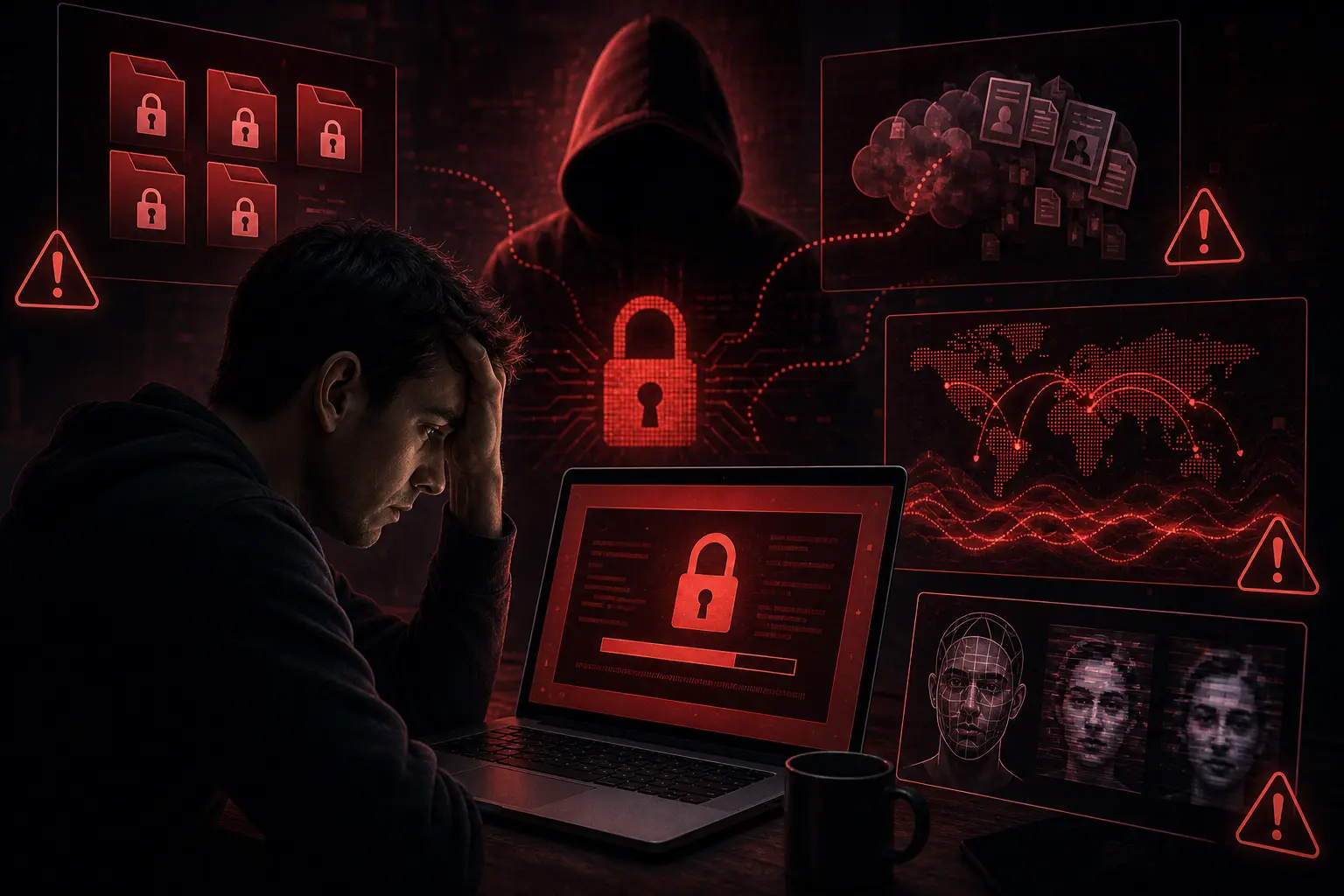
Now, in 2026, we are in the era of triple extortion. Ransomware attacks add a third pressure mechanism, usually one of the following:
- DDoS attacks against the victim's infrastructure
- Direct contact with the victim's customers, business partners, or family
- Filing regulatory complaints under GDPR or HIPAA to trigger government investigations
- Releasing personal information of executives or employees (doxing)
- Threats to use deepfakes to embarrass the victim
Data from various security reports shows the scale of this problem. Ransomware was present in 48% of confirmed data breaches in 2025, up from 44% in 2024, according to Verizon's 2026 DBIR. Ransomware attacks rose 32% globally at the start of 2026, with Q1 up 126% year-over-year (Total Assure). Ransomware extorted victims increased 53% year-over-year (Check Point 2026 Cyber Security Report). Total on-chain ransom payments fell 8% to approximately $820 million in 2025 (Chainalysis), even as claimed attacks rose 50%. Only 28% of victims paid the ransom in 2025, an all-time low (Chainalysis). Ransomware-as-a-Service (RaaS) makes it easy for anyone to launch attacks without technical skills.
Why Individuals Become Targets
First, individuals are easier to hack. Large companies have cybersecurity teams, corporate firewalls, intrusion detection systems, and security budgets. You have built-in antivirus and a password that you probably reuse across several accounts.
Second, individuals pay faster. When family files are encrypted, personal photos disappear, or important documents become inaccessible, emotional pressure drives quick payment. Companies have negotiation procedures and cyber insurance. You only have panic.
Third, individual data holds high value. Health records, financial information, personal photos, identity documents, and communication histories can be sold on the dark market or used for further extortion.
Ransomware 3.0: AI Changes Everything
The most significant change in 2026 is AI entering the ransomware attack chain. Security researchers have documented campaigns orchestrated by AI autonomously, without human intervention after initial assignment.
AI-Powered Reconnaissance
AI agents can automatically gather information about targets from social media, LinkedIn, GitHub, and other public data. This information is used to craft highly personalized phishing campaigns. Messages built this way read like they come from someone who knows your work, which is why they get opened.
Customized Payloads
Large language models can generate ransom notes that reference specific files found on the victim's system, individual names, and contextual details. Seeing your own file names quoted back at you makes the threat feel verified, which is exactly the intent.
Deepfakes for Negotiation
Cloned voices now appear in negotiation calls, so a familiar voice on the line proves very little. The technology is also used for social engineering against employees identified through LinkedIn and GitHub.
Autonomous Lateral Movement
AI agents that gain network access can observe the environment, identify high-value targets, select attack techniques based on available credentials and services, and modify their behavior when specific techniques fail. This capability mimics the adaptive decision-making that previously required a skilled human operator.
How Attacks Target You Specifically
Through Unpatched Devices
Ransomware attacks often begin by exploiting vulnerabilities in operating systems or applications that have not been updated. Devices running unsupported Windows, older Android versions, or rarely updated applications are easy targets.
Through Highly Personalized Phishing
With information AI collects from your digital footprint, phishing messages can mention your name, job, recent activities, or even the names of friends and family. Messages like this feel legitimate and lower your guard.
Through Infostealers Already on Your Device
Infostealer malware collects passwords, cookies, and session tokens from your device. This data is then used to access your accounts, including cloud accounts that store personal data. Verizon's DBIR 2026 shows token theft accounted for 31% of Microsoft 365 breaches.
Through Infected Applications
Fake APKs, malicious browser extensions, or applications downloaded from unofficial sources can serve as entry points for ransomware on your device.
Defense Strategies for Individuals
Backup with the 3-2-1 Strategy
Keep 3 copies of your data, on 2 different types of media, with 1 copy offsite. This means: the primary copy on your device, a second copy on an external hard drive, and a third copy in an encrypted cloud service. Make sure your backup is not permanently connected to your primary device. Ransomware can spread to connected drives.
Update All Devices
Security patches close the gaps ransomware exploits. Enable automatic updates for operating systems, browsers, applications, and router firmware. If your device no longer receives updates, consider replacing it.
Use Strong Authentication on All Accounts
Unique passwords for every account, stored in a password manager. Enable 2FA with an authenticator app, not SMS. Use passkeys when services support them. These steps make it harder for attackers to move from one account to another.
Watch for Urgent Requests
Ransomware often starts with a message that demands immediate action: "Your account will be closed", "Your package is held", "There is suspicious activity". Do not click links from such messages. Open the official website directly from your browser.
Separate Your Home Network
If possible, separate IoT devices (cameras, smart TVs, smart speakers) from the network your computer and phone use. Modern routers support guest network features that you can use for this isolation.
Do Not Pay the Ransom
Paying the ransom does not guarantee you receive the decryption key. FBI and CISA data show that paying also funds criminal operations and makes you a target for repeat attacks. If you suffer an attack, contact law enforcement and seek help from data recovery professionals.
What to Do If You Are Attacked
- Disconnect from the internet immediately to prevent spread to other devices or data exfiltration.
- Do not restart the device in Safe Mode unless you are certain the ransomware does not affect the boot sector.
- Document everything. Take screenshots, record the ransom note, and save all available information.
- Contact law enforcement. Report to your national cybersecurity agency and local police.
- Check that your backup is clean before restoring data. An infected backup will only restore the ransomware.
- Change all passwords from another clean device. Start with your primary email, then financial accounts, and social media accounts.
How Does This Differ from Traditional Cyber Attacks?
To understand the shift taking place, compare how previous-generation ransomware worked with Ransomware 3.0:
Generation 1 (2010s): File encryption, ransom demand. Simple pattern. Victims pay or lose data.
Generation 2 (2020): Double extortion. Encryption plus data theft. Victims pay or data is published.
Generation 3 (2026): Triple extortion with AI. Encryption, data theft, third-party pressure (DDoS, direct contact with customers), deepfakes, and AI-based personalization. Every attack is customized for the specific target.
This shift means that defenses that worked against previous-generation ransomware may not be enough for the current generation. Backups alone are not enough when attackers threaten to publish your sensitive data. Firewalls alone are not enough when attackers enter through valid credentials.
Ransomware-as-a-Service: A Structured Criminal Economy
Ransomware-as-a-Service transforms ransomware from a technical operation into a business model. On dark markets, you can find:
RaaS control panels. Web interfaces that allow anyone to launch ransomware campaigns without technical skills. These panels display infection statistics, payments, and active victims.
Payment services. Automated systems for receiving crypto payments, generating decryption keys, and managing negotiations with victims.
Customer support. Some RaaS providers even offer "technical support" to victims to help them buy crypto and make payments.
Revenue sharing model. RaaS developers take a percentage of every successful payment. The remainder goes to the "affiliates" who launch the attacks.
This model means that the threat level is no longer determined by the attacker's technical skill but by the quality of tools available on the market. The same tools used to attack large corporations can be used to attack you.
Statistics You Should Know
Data from various 2025-2026 security reports paints a picture of the problem's scale:
- Ransomware was present in 48% of confirmed data breaches in 2025 (Verizon 2026 DBIR)
- 7,419 ransomware attacks were recorded in 2025, up 32% from 5,631 in 2024 (Comparitech)
- Total on-chain payments reached $820 million in 2025 (Chainalysis)
- Average ransomware recovery cost (excluding ransom): $1.53 million in 2025 (Sophos)
- Average ransomware breach cost: $5.08 million (IBM 2025)
- 28% of victims paid the ransom in 2025, an all-time low (Chainalysis)
- 53% of victims recovered within a week in 2025, up from 35% in 2024 (Sophos)
- 32% of ransomware attacks started with an exploited vulnerability, the most common root cause for three consecutive years (Sophos 2025)
- 63 new ransomware variants were detected by the FBI in 2025, including AKIRA, Qilin, and BianLian
These numbers show that ransomware is not a rare threat. It is a fast-growing criminal industry with increasingly diverse targets.
Signs Your Device Is Already Infected
Detecting ransomware before encryption begins is the best defense. Watch for these signs:
Device performance drops sharply. Ransomware consumes CPU and disk resources during the encryption process. If your device suddenly slows down without clear reason, check Task Manager or Activity Monitor.
Files that will not open. If several files suddenly cannot be opened or show changed extensions, encryption may have already started on some files.
Unrecognized processes. Check background processes. Suspicious process names or processes consuming excessive resources need investigation.
System file changes. Ransomware often deletes shadow copies and system backups before starting encryption. If System Restore is suddenly disabled, this is a danger sign.
Ransom note. If you find a README file or payment instructions on your desktop or in document folders, the attack is already complete.
Summary
Ransomware 3.0 changes the rules. Triple extortion, AI-powered malware, and Ransomware-as-a-Service make every individual with digital data a worthwhile target. You do not need to be a large corporation to be a profitable victim.
Frequently Asked Questions
Is paying the ransom really not recommended?
Yes. FBI, CISA, and most cybersecurity agencies recommend not paying the ransom. Reasons: paying does not guarantee data recovery (only about 65% of data is successfully recovered after payment), paying funds criminal operations, and makes you a target for repeat attacks. Attackers know you are willing to pay, so they may attack again.
Can antivirus detect ransomware?
Traditional signature-based antivirus can detect known ransomware. But new ransomware, especially AI-modified variants, often goes unrecognized by antivirus. Modern security solutions use behavior-based detection that monitors suspicious activity like mass file encryption. But no solution is 100% effective.
Can Mac and iPhone also get ransomware?
Yes, although less frequently. macOS and iOS have strong built-in security features, but they are not immune. Ransomware for Mac already exists (example: KeRanger in 2016). Attacks on iPhones are rarer due to the closed App Store ecosystem, but not impossible.
Can factory reset remove ransomware?
Yes, a factory reset usually removes ransomware from the device. But it also deletes all your data. If you do not have a backup, data is lost permanently. Make sure your backup is clean before resetting.
How do I know if my files are encrypted by ransomware?
The clearest sign: files cannot be opened and extensions change (for example, from .docx to .locked or .encrypted). Some ransomware also changes file names to random strings. If you find a README file or payment instructions in a folder, the attack is complete.
Can ransomware spread to other devices on the same network?
Yes. Many ransomware variants are designed to spread laterally across networks. Ransomware can exploit shared folders, identical credentials, or network vulnerabilities to encrypt files on other devices. This is why separating IoT networks from the main network matters.
How long does the ransomware encryption process take?
Varies depending on file count and ransomware variant. The encryption process can take from minutes to hours. Modern ransomware deliberately limits encryption speed to avoid detection by monitoring systems.
Can encrypted data be recovered without paying the ransom?
Sometimes. Some ransomware has implementation flaws that allow decryption without the key. The No More Ransom project (nomoreransom.org) provides free decryption tools for several ransomware variants. But there is no guarantee, and the more sophisticated the ransomware, the less likely decryption without the key.
Final Summary
Ransomware 3.0 is a real threat that targets anyone with digital data. The best defense is layered and proactive: regular backups, updated devices, strong authentication, phishing vigilance, and a firm decision not to pay ransom. Do not wait until you become a victim. Start protecting your data today.
Resources for Recovery
If you or someone you know becomes a ransomware victim, here are resources that can help:
No More Ransom (nomoreransom.org). A collaboration between Europol, Kaspersky, and other security companies. Provides free decryption tools for hundreds of ransomware variants.
CISA Ransomware Guidance (cisa.gov). Ransomware recovery guidance from the U.S. Cybersecurity and Infrastructure Security Agency. Available in multiple languages.
FBI IC3 (ic3.gov). Report ransomware incidents to the FBI's Internet Crime Complaint Center.
Cybersecurity community forums. Reddit r/cybersecurity, local security communities, and technology forums often help ransomware victims identify variants and find decryption solutions.
Action Checklist for Readers
Here is a summary of steps you can take now:
- Create backups with the 3-2-1 strategy for all important data
- Enable automatic updates for all devices and applications
- Use a password manager with unique passwords for every account
- Enable 2FA with an authenticator app, not SMS
- Watch for urgent messages and do not click suspicious links
- Separate IoT networks from your main home network
- Check if your email has been compromised on Have I Been Pwned
- Prepare a response plan if an attack occurs
Each step above reduces your risk of becoming a ransomware victim. You do not need to do everything at once. Start with backups and device updates, then improve gradually.
The best defense is layered: regular backups with the 3-2-1 strategy, devices kept updated, strong authentication on all accounts, vigilance against phishing, and a decision not to pay if an attack occurs.
This threat is real and growing. Your first step is to take it seriously.
Editorial note: The ransomware landscape changes rapidly. This article reflects conditions at the time of writing. Check trusted sources like CISA and your security vendors for the latest information on ransomware threats and defenses.