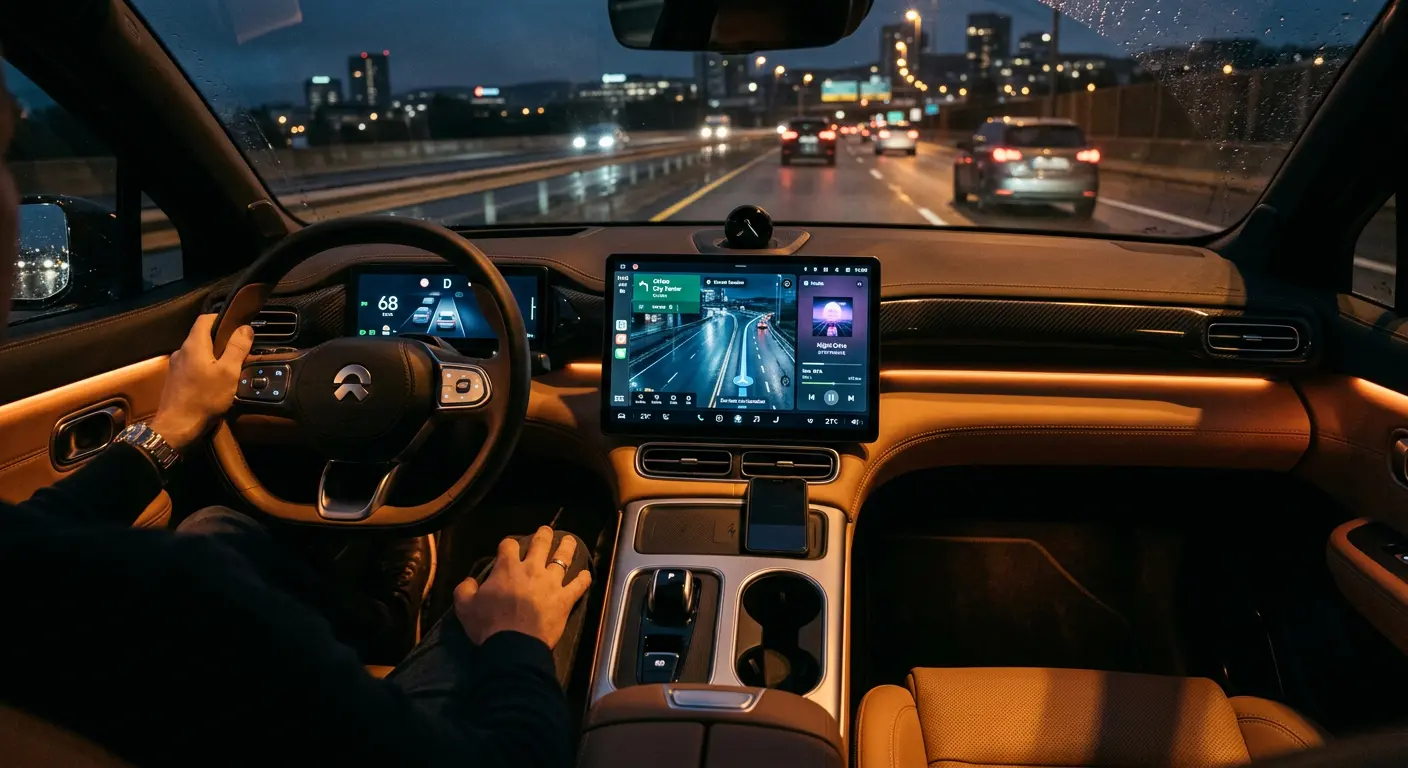
A modern automobile is no longer a simple mechanical vehicle. It is a highly connected computer on wheels. Contemporary smart cars contain dozens of electronic control units (ECUs), onboard cellular modems, GPS receivers, internal and external cameras, and advanced infotainment systems.
When you sit in the driver's seat, the vehicle monitors not only its mechanical performance but also your personal behavior. It logs your physical locations, driving speeds, braking habits, voice commands, and physical weight.
Furthermore, when you pair your smartphone to the infotainment system via Bluetooth, Apple CarPlay, or Android Auto, the car's computer downloads your contacts book, call history, text message logs, and navigation coordinates directly into its local, unencrypted storage.
Despite this aggressive personal profiling, vehicle data privacy receives almost no security oversight from consumers. This guide details the data-collection ecosystem of modern connected vehicles, explains the hidden tracking risks in rental and shared cars, and provides step-by-step instructions to perform system resets and opt out of manufacturer telemetry databases.
Technical Architecture of Connected Cars: The CAN Bus and Telematics
To understand how automotive data collection operates, you must examine the Controller Area Network (CAN bus) architecture. Developed by Bosch in 1983, the CAN bus is the nervous system of modern vehicles.
1. The CAN Bus Protocol
The CAN bus is a high-speed, serial communication protocol that allows various Electronic Control Units (ECUs) inside your car to communicate with each other without a host computer. For example, the engine ECU, transmission ECU, airbag sensors, and anti-lock braking system (ABS) continuously broadcast message frames across this physical wire loop.
- The Problem: The CAN bus has zero built-in authentication or encryption. Every message broadcast on the bus is visible to every other connected node.
- The Telematics Bridge: In modern smart vehicles, the infotainment system and the telematics control unit (TCU) are directly connected to the CAN bus. This means the cellular tracking module can read every frame of data traversing the network, including your steering angles, active seatbelt states, and exact vehicle speed, capturing your driving profile directly from the core mechanical systems.
Historical Case Study: The 2015 Jeep Cherokee Remote Takeover
The security threat of connecting physical vehicles to cellular networks became clear in 2015 when security researchers Charlie Miller and Chris Valasek executed a remote takeover of a stock Jeep Cherokee.
1. The Vulnerability (Port 12203)
The researchers discovered that Chrysler's Harman Kardon "Uconnect" infotainment system left an open, unauthenticated port (Port 12203) listening over the public Sprint cellular network.
Anyone on the same cellular carrier network could scan for open IPs and connect directly to the vehicle's infotainment processor without any password verification.
2. The Physical Pivot
Once connected to the entertainment system, the researchers reprogrammed its firmware remotely:
- They injected malicious code into the chip that connected the infotainment system to the CAN bus.
- By bridging this network gap, they could send spoofed CAN bus message frames directly to the steering, transmission, and braking ECUs.
- While the car was driving on a highway, the researchers remotely turned off the engine, locked the steering wheel, and disabled the physical brakes from a laptop miles away.
This incident forced the largest safety recall in automotive cyber history (1.4 million vehicles) and proved that unpatched connectivity on entertainment screens can directly compromise physical driving safety and vehicle control networks.
The Connected Vehicle Data Lifecycle: What Your Car Logs
To defend your personal privacy, analyze the three primary vectors of data collection in contemporary automobiles.
[Your Phone / Driving Habits] ──> [Infotainment Local Storage] ──(Cellular Modem)──> [Manufacturer Cloud] ──> [Insurance Databases (LexisNexis)]
1. Infotainment Pairing Leakage
The infotainment system (the central touchscreen console) acts as the primary collector of personal identity data. When you pair a phone via Bluetooth:
- The system prompts: "Allow contacts sync?" or "Allow message access?".
- If you select "Allow" or "Yes", the car's operating system executes a local database synchronization. It copies your entire contact list, complete with email addresses, home addresses, phone numbers, your recent call history (dialed, received, missed), and your text messages into the vehicle's local memory.
- This data remains stored permanently on the car's hard drive. It is not deleted when you turn off the engine or step out of the car.
2. Physical Telemetry and Biometrics
Onboard vehicle sensors continuously record physical metrics:
- Accelerometers and Braking sensors: Log how hard you accelerate, how aggressively you turn, and how hard you stomp on the brake pedal.
- Internal Cameras and Cabin Mics: Monitor your face for fatigue (drowsiness detection) and listen for voice assistants, recording your speech inside the cabin.
- Seat Weight Sensors: Note the weight of passengers, compiling statistics on who rides with you.
3. Cellular Modems and Telematics
Most modern cars manufactured after 2018 contain a built-in cellular modem and a telematic control unit (TCU).
The vehicle continuously transmits your real-time GPS coordinates, diagnostic codes, and driving statistics back to the manufacturer's central cloud database servers. This connection remains active even if you do not pay for an in-car Wi-Fi subscription, as the car uses cellular networks for system diagnostic updates and safety services. This continuous telemetry transmission operates automatically in the background, building a permanent record of your commutes, destinations, and geographic habits on the manufacturer's host servers. You must actively manage your privacy permissions to prevent this silent profile from being compiled.
Primary Security and Privacy Risks of Smart Cars
The data logged by your vehicle does not remain inside the machine. It is monetized, exposed on secondary markets, or left behind for future occupants.
1. The Rental Car Data Trap
The most common and immediate privacy compromise occurs in rental cars and ride-sharing fleets.
When you rent a car for a business trip or vacation, you often pair your phone to the infotainment screen to access GPS navigation or listen to music.
When you return the car, you hand over the keys and walk away. However, your entire contact list, your home address, and your private text messages remain stored on that rental vehicle's hard drive.
The next renter can simply scroll through the paired devices menu, select your phone profile, and read your private contact entries or view where you traveled during your trip.
2. Telemetry Sales to Insurance Data Brokers (LexisNexis / Verisk)
In recent years, major automotive manufacturers have quietly partnered with national risk-analysis data brokers, including LexisNexis Risk Solutions and Verisk.
- The Scheme: The manufacturer transmits your driving telematics (including exact times you drive, how often you speed, and hard-braking events) directly to these brokers.
- The Impact: The data brokers compile these metrics into a personal driving history report linked directly to your National ID or driver's license number. When you attempt to renew your car insurance, your insurance carrier purchases this report. If the report logs hard-braking events or late-night driving, the carrier raises your monthly premium rates, even if you have a perfect driving record with zero accidents or tickets.
- The Consent Loophole: Many manufacturers bury the consent for this tracking deep inside eighty-page terms of service agreements or within "safe driver" smartphone apps that offer small discounts.
3. The Used Car Secondary Market Exposure
When you sell a personal vehicle, trade it in at a dealership, or return a leased car, you must treat the infotainment system as an unencrypted computer drive.
If you fail to erase the system storage, the next buyer acquires a complete archive of your domestic life. They can access your saved "Home" and "Work" navigation addresses, view your calendar entries, and access your contacts. This simple lack of sanitization exposes your entire family's routine and private directory to strangers, creating an avoidable long-term security vulnerability. You must clean the database fully before ownership transfer.
Action Hardening Protocol: Step-by-Step Security Configurations
Implement these security boundaries to block automotive tracking and protect your digital identity.
Action 1: The Rental Car Protection Protocol
Never pair your phone with a rental or shared vehicle using advanced synchronization profiles.
- Use USB Charge-Only: When you need to charge your phone in a rental car, do not connect it to the main USB media ports. Use a "charge-only" USB adapter plugged into the 12V cigarette lighter outlet. This physical separation prevents any data communication between your phone and the car.
- Restrict Bluetooth permissions: If you must pair via Bluetooth to listen to audio, watch your phone screen during pairing:
- When the phone prompts "Allow Contacts Sync", tap Don't Allow or No.
- When prompted "Allow Show Notifications", tap Don't Allow.
- Erase Your Profile Before Return: When returning the vehicle, spend three minutes cleaning the infotainment system:
- Go to Settings > Bluetooth (or Connections).
- Select your phone profile name.
- Click Delete, Forget, or Remove Device. Confirm that your profile is completely gone from the list of paired devices.
Action 2: Perform an Infotainment Factory Reset
Before you sell, trade in, or return a leased personal vehicle, you must execute a complete factory system reset.
The location of this setting varies by brand:
- Tesla: Go to Controls > Service > Factory Reset. This wipes all personal profiles, nav history, home Wi-Fi keys, and paired phone data.
- Ford (Sync): Go to Settings > General > Master Reset.
- Toyota: Go to Setup > General > Delete Personal Data.
- Honda: Go to Settings > System > Detail Information > Reset to Default.
Ensure you check the navigation history after the reset to confirm your "Home" and "Work" addresses have been completely cleared.
Action 3: Opt Out of Manufacturer Data Sharing (LexisNexis / Verisk)
You have the legal right to request your data reports and opt out of telemetry sharing with third-party brokers.
- Request Your Reports: Visit the official portals of LexisNexis Risk Solutions and Verisk to request your free annual Consumer Disclosure Report. This document reveals exactly which insurance reports have been compiled on your driving habits.
- Decline Connected App Features: Open your car's mobile companion application (e.g., OnStar, MyChevrolet, Toyota App, MySubaru). Go to Account Settings > Data Privacy. Opt out of any programs labeled "Smart Driver", "Drive Rating", or "Safe Driving Rewards".
- Contact the Manufacturer: Send an official request to your vehicle manufacturer's privacy officer (using the email address listed in their online privacy policy). Request them to disable telematics sharing with data brokers and insurance risk engines under your Vehicle Identification Number (VIN).
Technical Comparison: Automotive Brand Privacy Policies
Different manufacturers implement different data retention and sharing policies:
| Automotive Manufacturer | Telematics Opt-Out Options | Shares Data with Insurance Brokers? | Collects Voice Recordings? | Primary Privacy Concern |
|---|---|---|---|---|
| Tesla | Yes (via screen settings) | No (Uses internal insurance) | No (Processed locally) | Collects continuous external camera feeds. |
| General Motors (GM) | Yes | Historically Yes (Opt-in required now) | Yes | Binds driver metrics heavily with OnStar networks. |
| Toyota | Yes | Yes (Through specific driver apps) | Yes | Shares data with marketing platforms. |
| Ford | Yes | Yes (Through FordPass rewards) | Yes | Infotainment stores deep connection logs. |
A Self-Audit for Smart Car Privacy
Perform this audit twice a year to verify your personal vehicle's data boundaries:
- Audit Paired Devices: Open your car's Bluetooth menu. Remove any old smartphones belonging to friends, family members, or former coworkers who no longer operate the vehicle.
- Verify App Permissions: Open your phone settings, go to your car's mobile companion app, and revoke any permanent background location or physical storage permissions.
- Check Wi-Fi Hotspot settings: If your vehicle has a built-in Wi-Fi hotspot, ensure you have set a strong, custom WPA2/WPA3 password. Do not leave the default password active, as passengers or nearby vehicles can connect to your local car network.
- Inspect Navigation cache: Open your car's GPS history. Clear any old destinations, hotel visits, or route caches to minimize physical movement trails.
Frequently Asked Questions
Can an attacker hack my smart car and control the steering or brakes remotely?
While theoretically possible under advanced laboratory conditions (such as the famous Jeep Cherokee hack in 2015, where researchers exploited cellular connections to control steering and brakes over the internet), physical remote takeovers are extremely rare in the real world. Manufacturers have separated critical driving control networks (CAN bus) from entertainment and infotainment networks to prevent such intrusions.
Does Apple CarPlay or Android Auto share my data with the car?
Apple CarPlay and Android Auto run their applications directly on your smartphone, utilizing the car's screen strictly as an external monitor. This setup is much safer than standard Bluetooth pairing because your contacts, texts, and navigation history remain secure on your encrypted phone. The car's local hard drive does not download or store your personal files when utilizing these projection systems.
What happens if I opt out of all data sharing with my manufacturer?
If you opt out of all telematics data sharing, the manufacturer will disable your vehicle's remote cellular connectivity. This means you will lose access to mobile companion app features, including remote door unlocking, remote cabin pre-heating, real-time traffic updates on your screen, and automated emergency roadside assistance alerts.
Is it safe to use the built-in web browser on my car's screen?
No. Infotainment web browsers are rarely updated by manufacturers and often run ancient, unpatched browser engines. They lack modern security extensions and are highly vulnerable to cross-site scripting (XSS) and drive-by downloads. Avoid entering passwords, bank details, or personal emails on your car screen's browser.
How do I know if my driving habits are being sent to insurance companies?
Request your personal consumer disclosure file from LexisNexis Risk Solutions and Verisk. If you see detailed logs of your vehicle's VIN, drive times, and hard-braking events on the report, your manufacturer has been actively transmitting your telematics to these insurance risk profiling services.
Sources and References
- Mozilla Foundation: 'Privacy Not Included' Connected Cars Research Report
- CISA: Cybersecurity Best Practices for Modern Connected Vehicles
- NHTSA: Vehicle Cybersecurity and Telematic Integrity Guidelines
Editorial Note: This article serves educational purposes. Technology suites, system menus, data settings, and privacy policies vary extensively by vehicle manufacturer, model year, and regional firmware variations. Consult your vehicle manufacturer's official customer support and privacy documentation to find current configuration procedures. Keep your smartphone's operating system updated to maintain robust Apple CarPlay or Android Auto security standards, ensuring your physical drives remain as private as your home networks.