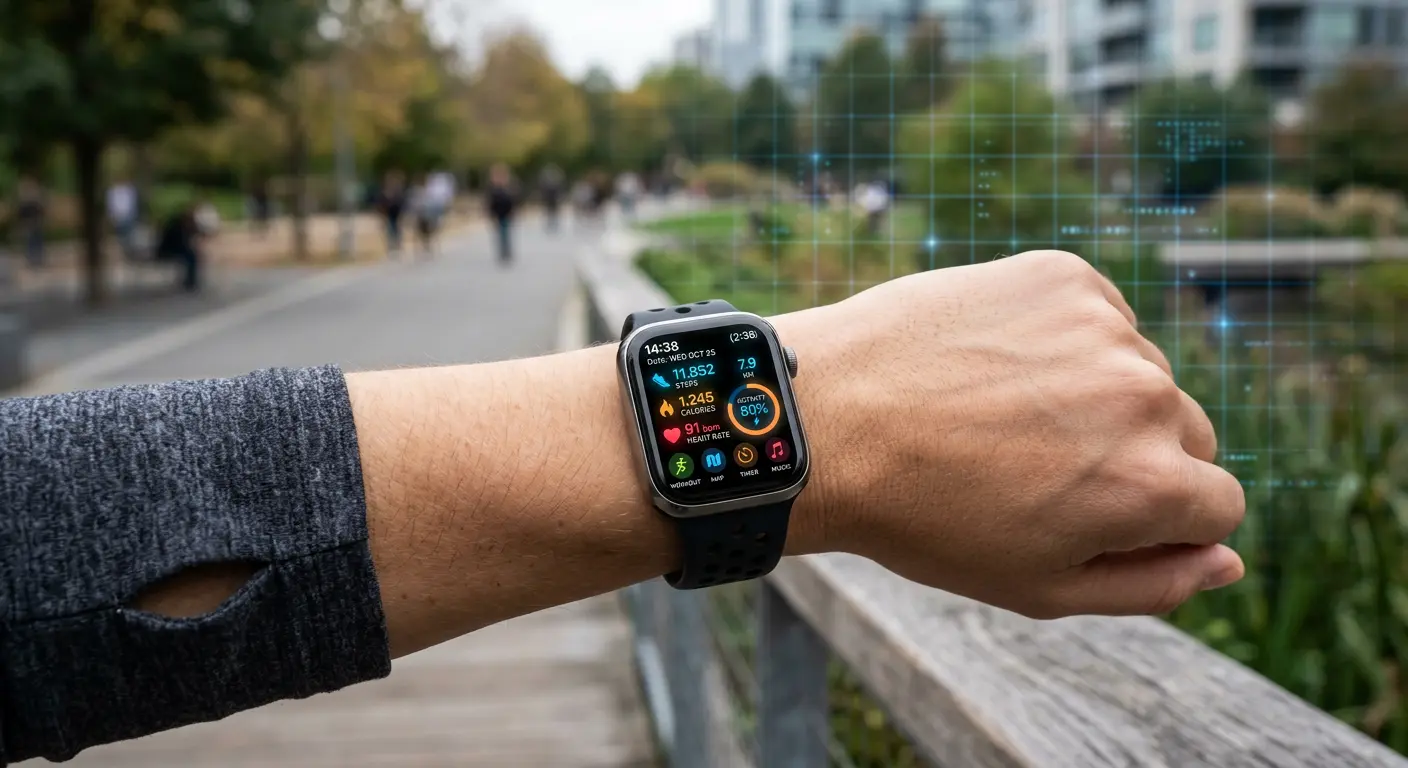
A modern wearable device is no longer a simple mechanical timepiece or basic step counter. Smartwatches, fitness trackers, and smart rings are highly sophisticated biometrics monitors. They continuously record your heart rate, sleep cycles, blood oxygen levels, skin temperature, stress profiles, and physical GPS coordinates. Because they pair directly with your smartphone, they also hold access to your incoming text messages, contacts, calendars, and payment profiles.
Despite this intimate data profiling, wearable devices and their mobile companion applications receive minimal security oversight from users. Many people who strictly secure their laptops and smartphones wear constantly broadcasting, unpatched sensors on their wrists.
This guide details the threat profile of modern wearable hardware. It explains local signal leakage, companion app data mining, and cloud database sharing, and provides step-by-step instructions to harden your smartwatch settings and protect your physical and biological privacy.
Technical Mechanism of Photoplethysmography (PPG) Sensors
To understand the intimate nature of the data collected by wearables, examine how the optical heart rate sensors on the back of your watch operate. This technology is called Photoplethysmography (PPG).
1. Optical Data Capture
The watch casing contains green-light-emitting diodes (LEDs) and a highly sensitive photodetector:
- The green LEDs flash hundreds of times per second directly against your skin.
- Blood is red, meaning it reflects red light and absorbs green light.
- As your heart pumps, a pressure wave travels through your arteries, causing your capillary blood volume in your wrist to expand and contract dynamically.
- The photodetector measures the amount of green light absorbed or reflected back to the sensor. The fluctuating absorption levels form a raw analog PPG wave pattern.
2. Algorithmic Processing
The watch microprocessor runs complex digital signal processing (DSP) algorithms to filter out physical body movement noise. It translates the PPG wave interval variations into digital values:
- Heart Rate Variability (HRV): The microsecond variations between consecutive heartbeats, used to calculate physical stress levels, recovery quality, and fatigue.
- Pulse Oximetry ($SpO_2$): Using secondary red and infrared light sensors to measure oxygen saturation in the blood.
This raw analog sensor data is highly descriptive. Changes in your HRV can predict onset illnesses, hormonal fluctuations, panic attacks, or emotional states. This biological predictability is exactly why insurance conglomerates and advertising platforms desire access to your raw sensor logs.
Historical Legal Analysis: Fitness Data as Courtroom Evidence
Many users do not realize that their wearable devices act as a digital black box recorder of their physical life. This cached biological data has transitioned from simple fitness logging into concrete legal evidence in criminal investigations.
Case Study: State of Connecticut v. Richard Dabate (2017)
In a landmark US murder trial, a fitness tracker's data served as the primary evidence to disprove a suspect's alibi.
- The Alibi: The defendant claimed an intruder broke into his home, struggled with him, and killed his wife at approximately 9:00 AM, while he was tied to a chair.
- The Biometric Reality: Investigators retrieved the victim's Fitbit tracker. The device's internal accelerometer recorded active physical movement (walking several hundred meters inside the house) at 9:18 AM, and her heart rate flatlined at 10:05 AM, completely exposing the defendant's timeline as fraudulent.
- The Impact: The court admitted the Fitbit data as reliable physical evidence of human movement and exact time of death, leading to a conviction.
This case proved that your wearable device logs your physical status, sleep, and movements with microsecond accuracy, and this archive can be subpoenaed by third-party legal entities without your direct consent during investigations. This reality highlights the importance of securing your companion apps and limiting permanent cloud sync archives to prevent physical data trails from being compiled or exposed without your explicit authorization.
The Wearable Data Ecosystem: How Your Biology is Logged
To protect your wearable privacy, trace how your biometric and personal data flows from your body to the cloud.
[Your Body (Biometrics)] ──(Local Bluetooth)──> [Companion App on Phone] ──(Cellular Data)──> [Manufacturer Cloud] ──> [Data Brokers / Advertisers]
1. Local Sensor Collection
The wearable sensor array (including photoplethysmography [PPG] optical sensors, accelerometers, and skin conductance sensors) logs raw biological fluctuations. The device processor packages these physical signals into biometric data points.
2. Local Wireless Transmission (Bluetooth)
Because smartwatches have small batteries, they utilize Bluetooth Low Energy (BLE) to transmit biological logs to your paired smartphone companion application. These BLE broadcasts occur continuously throughout the day to sync active data fields.
3. Companion App Consolidation
The companion application on your smartphone acts as the administrative portal. It decodes the biological logs, displays charts, and matches your biological metrics against your user profile (which details your age, biological sex, weight, and medical goals).
4. Cloud Synchronization
The companion app uploads this integrated profile to the manufacturer's central cloud databases. This connection enables social features, leaderboard rankings, and persistent backup archives.
Primary Security and Privacy Threats of Wearables
Each stage of this ecosystem presents distinct vulnerabilities that can be exploited by criminals, advertising corporations, or malicious background applications.
1. Overprivileged Companion Applications
Many wearable privacy leaks occur on the smartphone, not the watch. Wearable companion apps frequently demand excessive operating system permissions that do not align with physical fitness tracking.
An app may refuse to initialize unless you grant it permanent access to:
- Your physical location (even when the app runs in the background).
- Your phone contacts list.
- Your local storage files and photos.
- Your phone microphone and camera.
Once granted, the app can collect and upload these personal data points alongside your biological metrics.
2. Local Signal Sniffing and Beacons
Because smartwatches utilize BLE, they continuously broadcast advertising packets to remain paired with your phone.
If the manufacturer implements insecure BLE pairing protocols without robust encryption:
- A passive listener standing in a public space (using a cheap antenna and a laptop running Wireshark) can capture your watch's unique MAC address.
- They can monitor your physical movement through the public space by tracking your watch's signal strength across different receiver points.
- Some cheap trackers transmit raw biometric telemetry (like your active heart rate) in unencrypted BLE packets, allowing anyone nearby to sniff your biological state silently.
3. The Strava Military Base Leak (A Cloud Exposure Case Study)
The danger of centralized cloud databases became clear in 2018 when the popular fitness tracking platform Strava published an interactive global heatmap displaying every user activity logged on its network.
- The Incident: Active military personnel wearing fitness trackers logged their running routes while stationed at secret, remote bases in active conflict zones.
- The Exposure: Because the tracking profiles were set to public by default, the aggregated heatmap displayed clear, glowing paths tracing the interior perimeters, patrol routes, and exact barracks layouts of highly classified military outposts in countries like Syria, Niger, and Afghanistan.
- The Lesson: Even if your individual device is physically secure, default public sharing settings on centralized cloud databases can expose highly sensitive physical safety parameters.
4. Biometric Data Monetization
Unlike medical records, which are heavily protected by strict regional privacy laws (such as HIPAA in the United States), fitness and wellness data logged by commercial consumer wearables sits in a legal grey area.
Wearable manufacturers can package your "anonymized" heart rate, sleep quality, and physical activity profiles and sell them to third-party data brokers, health insurance corporations, or advertising networks.
Insurance companies use this data to adjust premium rates, while advertisers utilize your stress and sleep cycles to target you with product placements at your most vulnerability moments.
Hard-Hitting Hardening Protocol: Step-by-Step Security Configurations
Follow these action guidelines to isolate your wearable sensors and preserve your personal biological privacy.
Action 1: Audit Companion Application Permissions
Strip your companion fitness app of any non-essential operating system permissions.
- Open the Settings application on your smartphone.
- Navigate to Apps (or Applications) > Manage Apps.
- Select your wearable companion app (e.g., Garmin Connect, Zepp, Mi Fitness, Fitbit).
- Select Permissions.
- Revoke these permissions immediately if they are enabled:
- Contacts: Your fitness tracker does not need to read your address book to calculate steps.
- Files and Media: Block access to local system storage.
- Microphone: Disallow microphone access unless you actively use voice calling features on your wrist.
- Location: Set location access strictly to "Only while using the app" instead of "Always allow". This prevents the app from logging your physical coordinates when your watch is idle.
Action 2: Configure Local Privacy Settings on the Watch
Adjust the settings directly on your smartwatch interface or within the companion app dashboard:
Disable Notification Previews
When your watch screen lights up with an incoming text message, anyone sitting next to you can read the preview on your wrist.
- Open the companion app settings on your phone or the settings panel on your watch.
- Go to Notifications > App Alerts.
- Enable "Show previews only when screen is tapped" or turn on "Hide sender and message details". This ensures the watch screen only displays a generic alert (e.g., "1 Message") until you physically interact with the screen.
Set a Local Device Lock Code
If you take off your watch to charge it, or if someone steals it from your desk, they can access your payment cards and private messages.
- Go to your watch Settings > Security (or Screen Lock).
- Enable a four-digit PIN or Passcode.
- The watch will lock itself automatically the exact second its optical sensors detect it has lost contact with your skin. You must enter the PIN to unlock the interface upon putting it back on your wrist.
Action 3: Opt Out of Cloud Telemetry and Sharing
Prevent the manufacturer from selling or analyzing your biological metrics.
- Open your companion fitness app.
- Go to your Profile or Account Settings.
- Select Privacy (or Data & Privacy Management).
- Locate and Disable these settings:
- "Help us improve our products" (Usage & Diagnostics telemetry).
- "Share anonymized data with third parties" (Marketing/Data broker partnerships).
- "Allow research studies" (Unless you consciously want to donate your data).
- Set your profile visibility to Private or Only Me. Ensure your activity heatmaps, route maps, and daily logs are hidden from public search engines and community leaderboards.
Technical Comparison: Wearable Platform Security Boundaries
Evaluate the privacy controls of different wearable ecosystems:
| Platform Brand | Data Encryption Standards | Companion App Permissions | Telemetry Control | Primary Privacy Limitation |
|---|---|---|---|---|
| Apple Watch (watchOS) | High (End-to-End on iCloud) | High (Granular iOS prompts) | High | High ecosystem lock-in. |
| Garmin | High (HTTPS / AES) | Moderate | Moderate | Social map settings are public by default. |
| Samsung Galaxy Watch | Moderate | Moderate | Moderate | Binds heavily with Samsung and Google tracking networks. |
| Generic/Budget Bands | Low | Low (Demands all system rights) | None | Often transmits unencrypted Bluetooth packets. |
A Self-Audit for Wearable Device Privacy
Run this physical and digital audit twice a year to ensure your data stays secure:
- Verify Bluetooth Pairing state: Go to your phone's Bluetooth settings. Ensure your watch is paired using secure numeric comparison keys, not a default connection without verification.
- Check Location history: Review your companion app's saved maps. Verify that you have deleted old running or walking routes that trace directly back to your front door.
- Audit inactive applications: Go to the app panel on your smartwatch. Delete any third-party watch faces, calculator apps, or games you have not used in the past three months. Many free watch faces are designed strictly to mine user metrics in the background.
- Test Skin Detection locks: Take your watch off your wrist. Tap the screen. If you can read notifications or access settings without entering a PIN, your wrist lock is disabled. Go to settings and enable the device lock.
Frequently Asked Questions
Can someone hack my smartwatch directly over Bluetooth?
Yes, if the watch runs outdated firmware with unresolved BLE vulnerabilities (like BlueBorne or Bleedingbit). An attacker standing within ten meters can exploit these vulnerabilities to execute remote code, bypass pairing verification, and steal cached keystrokes or text messages. Keep your smartwatch firmware updated through the companion app.
Is my health data safe on a free fitness tracking application?
Generally, no. Free applications that do not sell physical hardware often monetize their services by selling user data. If you use a free fitness app that lacks clear, premium billing tiers, you are the product. They compile your physical coordinates, step patterns, and heart rate logs to build highly accurate profiles for advertising and insurance brokers.
Should I turn off Bluetooth when I am not syncing my watch?
Turning off Bluetooth when you do not need active notifications is an excellent way to eliminate all local wireless tracking risks and save watch battery life. Your watch will continue to log steps, heart rate, and workouts locally in its internal memory. Once you enable Bluetooth, it will sync the stored logs to your phone securely.
What happens to my data if I sell my old smartwatch?
If you sell or recycle your smartwatch, you must perform a complete factory reset on the watch hardware to erase your cached tokens, payment cards, and health logs.
- How to reset: Go to watch Settings > System > Disconnect & Reset (or Factory Reset). Additionally, go to your phone's companion app and select Remove Device to delete its encryption keys.
Can smartwatches be used to track my location inside a building?
Yes, even if your watch lacks a physical GPS chip. Retailers and public venues install small Bluetooth beacons in ceilings and shelves. These beacons detect your watch's constant BLE advertising packets as you walk past. By analyzing which beacons detect your watch MAC address, the system can map your exact walking path through store aisles for marketing analysis.
Sources and References
- CISA: Internet of Things (IoT) Security and Privacy Best Practices
- NIST: Securing Wearable and Mobile Devices in Corporate Environments
- Strava Global Heatmap Privacy Advisory (Historical Case Study)
Editorial Note: This article serves educational purposes. Menus, permission prompts, and settings configurations vary between smartphone operating systems, mobile companion apps, and smartwatch brands. Consult your specific manufacturer's official security manuals for up-to-date configuration paths. Keep your companion mobile applications updated to ensure the latest privacy patches remain active and fully functional on all of your devices.