Social media networks allow us to share life updates, connect with friends, and build professional networks. However, this open sharing model has a dark side. By default, major platforms like Instagram, Facebook, LinkedIn, and TikTok expose your personal details, photos, and social connections to anyone on the internet.
Automated software bots operated by scammers regularly scan these public profiles. They scrape your high-resolution photos, copy your exact bio text, study your posting tone, and map your friend lists.
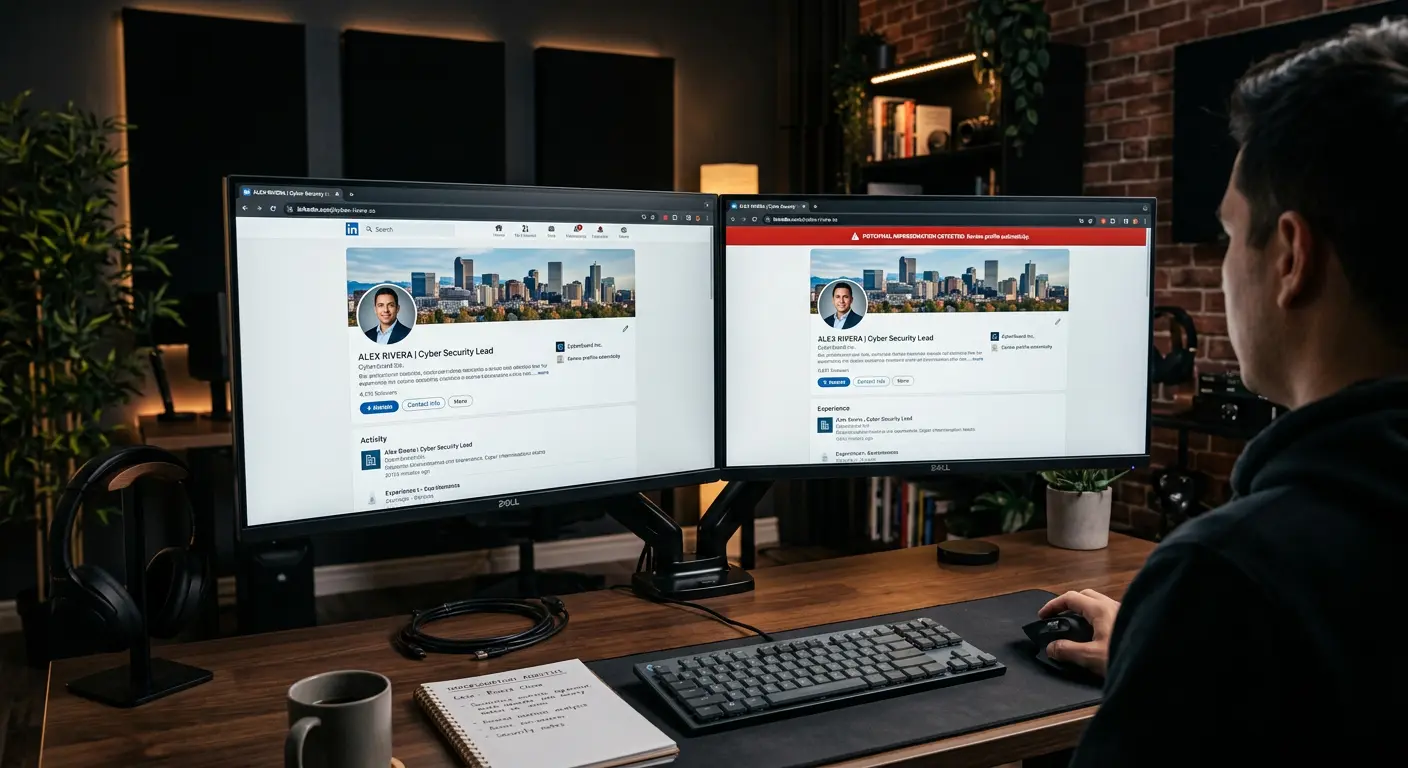
With this scraped material, they construct an identical Account Clone. Using this fake profile, they target your close friends and family members, sending direct messages that claim you are in a financial emergency, have lost your phone, or are promoting a high-yield investment scheme.
Because the fake profile looks identical to your real account, your contacts often trust the messages, leading to severe financial loss and reputational damage. This guide details the technical execution of scraping and cloning exploits, and provides comprehensive defensive protocols to shield your social media footprint from automated harvesting and impersonation.
Technical Architecture of Scraping Botnets: Bypassing Anti-Bot Defenses
To understand why platforms struggle to prevent profile scraping, examine the technical specifications of automated scraping botnets. Scammers do not run scripts from a single home IP address. They utilize highly sophisticated, distributed extraction engines.
1. Residential Proxy Networks
Platforms monitor incoming network connections. If they detect a single IP address requesting hundreds of profile pages in a minute, they block the IP immediately. To bypass this, scrapers route their headless browser traffic through massive residential proxy networks. These networks consist of millions of compromised or leased consumer routers, smart TVs, and home computers. Each profile request arrives from a completely unique, legitimate home internet connection, making the scraping botnet indistinguishable from standard, organic human traffic.
2. Browser Fingerprint Spoofing
Modern bot-detection platforms (like Cloudflare, Akamai, or PerimeterX) analyze the connecting browser's hardware properties, including its Canvas rendering engine, WebGL specs, and system font lists.
- Scrapers utilize advanced browser modifications (like Undetected ChromeDriver or specialized Puppeteer stealth plugins).
- These tools dynamically generate realistic hardware fingerprints, randomizing system properties for every connection.
- This spoofing prevents the security engine from recognizing the headless browser, allowing the script to harvest profile data continuously without triggering CAPTCHA challenges.
Historical Case Study: The 2021 Facebook 533 Million User Scraping Leak
The massive scale and threat of profile scraping became clear in April 2021, when a dataset containing the personal details of over 533 million Facebook users across 106 countries was leaked on a hacking forum.
1. The Method
The leak did not result from an internal database hack. Instead, scammers exploited a vulnerability in Facebook's contact importer feature:
- The feature allowed users to upload their mobile phone contacts to find friends.
- Scrapers set up automated scripts that queried this API with billions of randomly generated phone numbers.
- When a number matched an active account, the system returned that user's public profile ID, name, bio, gender, and location.
- By matching the phone numbers with the scraped profiles, the scammers built a massive, comprehensive directory linking real-world mobile numbers to personal social identities.
This case study proved that even if you never post your phone number publicly, automated scraping vectors can compile your private identity data through interface exploitation, creating highly convincing profiles for social engineering and cloning scams.
Technical Mechanics of Social Media Scraping
To defend your digital identity, you must understand how scammers automate the extraction of your public profile assets.
Scraping does not involve hacking into your account database. It is the automated harvesting of public-facing web elements.
[Your Public Profile] ──> [Scraper Script (Puppeteer)] ──> [Bulk Download Images/Bios] ──> [Automated Account Cloner]
1. Headless Browser Automation
Scammers write lightweight scripts utilizing browser automation tools like Puppeteer, Playwright, or Selenium.
- These scripts launch "headless" browsers (web browsers that run in the background without a physical user interface).
- The script navigates directly to your public profile URL (e.g.,
instagram.com/username). - It simulates human behavior, scrolling down your feed to trigger lazy-loading images and expanding text fields automatically.
2. API Exploitation
Instead of loading the visual web page, advanced scraping tools intercept the platform's internal Application Programming Interfaces (APIs). By sending formatted HTTP GET requests directly to the platform's endpoints, the script retrieves raw JSON files containing your profile data:
- Your raw, high-resolution profile picture URLs.
- Your exact follower and following lists.
- Your post captions, timestamps, and physical location tags.
This automated process harvests the complete digital assets of thousands of public profiles in seconds, saving them to local databases for cloning campaigns.
The Anatomy of an Account Cloning Scam
Once a scammer compiles your profile assets, they launch an impersonation campaign designed to exploit your social relationships.
Step 1: Profile Recreation
The scammer registers a new account on the same platform.
- They upload your scraped profile photo and copy your exact bio text.
- They choose a username that is visually almost identical to your real handle. They utilize subtle mutations: adding a double underscore (e.g., changing
@johndoeto@johndoe__), swapping letters (e.g.,@j0hndoe), or adding helper words (e.g.,@johndoe_privateor@johndoe_new).
Step 2: Friend Mapping and Targeting
If your friend or follower list is public, the scammer opens your real profile and scrapes the usernames of your closest contacts (people who regularly comment on your photos or whom you tag in posts). They send follow requests or direct messages to these specific contacts from the cloned account.
Step 3: The Emergency Hook (Social Engineering)
The scammer sends a direct message (DM) to your family or friends. They do not start with a demand for money. They use conversational hooks:
- "Hey! My main account got locked/hacked. This is my temporary private profile."
- "I lost my phone and had to get a new number. I'm using this account for now."
Once the contact responds and accepts the new profile as real, the scammer introduces the crisis:
- "I am stranded at a gas station and my banking app is locked. Can you transfer $100 via mobile payment? I will pay you back tomorrow."
- "I need to pay a bill urgently but my card keeps declining. Can you send me an OTP code that was sent to your number?"
Because the contact believes they are helping you, they bypass standard safety checks, transferring funds or handing over verification codes directly to the criminal.
Technical Comparison: Platform Vulnerability Profiles
Different platforms expose different vectors to scrapers and cloner bots:
| Social Platform | Friend List Privacy Controls | Default Profile State | Account Reporting Efficiency | Primary Vulnerability Vector |
|---|---|---|---|---|
| Low (Cannot hide follower lists on public profiles). | Public | Moderate | Username mutations are highly difficult for users to spot. | |
| High (Can set Friend List to "Only Me"). | Public (Often) | Low | Allows public scraping of family relationship tags. | |
| High (Can restrict connection visibility). | Public | High | Professional history is scraped for corporate spear-phishing. | |
| TikTok | Low | Public | Moderate | Video content is ripped to build fake video profiles. |
Hard-Hitting Defensive Protocols
Implement these defensive layers to shield your profiles from scrapers and completely neutralize the effectiveness of cloning scams.
Action 1: Sever the Friend List Visibility
The most critical defense against a cloning scam is hiding your friend list. If a scammer clones your profile picture but cannot see who your friends are, they cannot send targeted direct messages. This completely neutralizes the attack.
On Facebook
- Go to Settings & Privacy > Settings.
- Select Privacy in the left menu.
- Locate "How People Find and Contact You".
- Find the setting "Who can see your friends list?".
- Change the value from Public or Friends to "Only Me".
On LinkedIn
- Click your profile icon and select Settings & Privacy.
- Select Visibility > Visibility of your profile & network.
- Click Connections.
- Toggle "Connection visibility" to Off. This prevents other connections from viewing your network list, allowing only mutual connections to remain visible.
On Instagram
If you run a public creator or business account, you cannot hide your follower list. To protect your connections, you must transition to a Private Account:
- Open Instagram, go to your profile, and tap the menu icon.
- Select Settings and Privacy > Account Privacy.
- Toggle Private Account to On.
Once private, only users you manually approve can view your posts, stories, and follower lists, blocking all automated web scrapers instantly.
Action 2: Protect Your Visual Assets with Low Resolution and Watermarks
Scrapers harvest your high-resolution imagery to make the fake profile look legitimate. Reduce the utility of your uploaded photos:
- Avoid High-Resolution uploads: Avoid uploading raw, professional-grade 4K images of your face as your profile picture. Crop the image and compress its resolution to a low-quality setting (e.g.,
400 x 400pixels). A highly compressed, low-resolution profile photo looks pixelated and suspicious when enlarged on a scammer's fake profile. - Implement Subtle Watermarking: Use a simple photo editor to place a semi-transparent watermark of your actual handle over your face or across the background of your profile picture (e.g., a faint text saying
@JohnDoe Legitimate). If a scammer scrapes the photo, they cannot easily remove the watermark without altering the face, immediately exposing their cloned profile as a copy.
Action 3: Establish an Offline Verification Protocol
Educate your close social circle (family, friends, coworkers) to bypass the digital medium when financial requests occur.
- The Secondary Channel Rule: Establish a permanent rule with your inner circle: "I will never ask for money, mobile payments, or verification codes via social media DMs. If you receive such a request, ignore it and call my cellular phone number directly."
- The Offline Safety Word: For close family members (such as parents or children), establish a simple, memorable offline safety word or phrase. If a profile claiming to be you messages them asking for help, they must ask: "What is our safety word?". If the sender cannot provide it, they know instantly they are communicating with a cloner.
Action Plan: Steps for a Profile Cloning Incident
If a friend alerts you that an identical profile has messaged them using your name and photos, execute this rapid containment protocol:
Step 1: Warn Your Network Immediately
Do not wait to resolve the issue with the platform. Use your real, verified account to post an urgent warning on your Feed and Stories:
- "WARNING: There is a fake account impersonating me. The handle is
@username_(specify the exact misspelled handle). Do not accept follow requests, do not click any links, and do not send money. My only account is this one."
Step 2: Initiate an Official Impersonation Report
Navigate to the cloned profile and file an official report to trigger the platform's automated takedown systems.
How to Report on Instagram:
- Go to the fake profile.
- Tap the three dots in the top right corner and select Report.
- Select Report Account > It's pretending to be someone else.
- Choose Me or Someone I know.
- Submit the report. (The platform's facial recognition algorithms will scan your real profile and the fake profile, comparing the images. Takedowns of clear visual clones typically resolve within hours).
How to Report on Facebook:
- Go to the fake profile page.
- Click the three dots under the cover photo.
- Select Find support or report > Pretending to be someone.
- Choose Me and follow the prompts to submit.
Step 3: Mobilize Your Network to Report
The platform's priority queues flag accounts that receive multiple independent reports within a short interval. Ask three to five friends who received the scam messages to open the fake profile and file independent "Impersonation" reports. This rapid volume of reports forces the account into a temporary suspension pending human review.
A Self-Audit for Social Media Privacy
Perform this digital footprint audit twice a year to verify your identity boundaries:
- Search your own name: Open an incognito browser window (while logged out of all accounts) and search your name on Google and major social networks. If you can view your friend lists, physical location tags, or high-resolution photos without being logged in, your privacy settings are too open.
- Audit your followers: Review your follower list. Block any inactive accounts, profiles with zero posts, or accounts that lack a profile picture, as these are often automated monitoring bots.
- Verify tagged photos: Go to your tagged photos section. Remove tags from posts that reveal your physical workplace, home location, or family relationships.
- Review third-party app connections: Go to your account settings, open "Apps and Websites", and revoke access for any third-party games or utility sites that have permission to read your profile or connection details.
Frequently Asked Questions
Can scammers clone my account if my profile is set to private?
If your profile is set to private, scrapers cannot read your posts, view your follower lists, or download your images. A scammer can still screenshot your main public profile picture if they know your handle, but they cannot build a convincing clone because they lack access to your ongoing stories, post history, captions, and close friend connections.
Does a verified badge (blue check) protect against cloning?
A verified badge helps your friends identify your real profile easily, but it does not stop scammers from registering a cloned account. The cloner will simply build the fake profile without a blue check and tell your contacts that their "verified account is locked" or that they created a "private backup profile."
How do cloner bots find my friends if my follower list is hidden?
If your follower list is hidden, cloner bots search for public interactions on your profile. They scan your public posts looking for users who have clicked "Like" or left comments. They target these active interactors, assuming they are close friends or family members. Set your posts to "Friends Only" to block this vector.
Is social media scraping illegal?
The legality of scraping is complex. Publicly accessible web data is technically legal to scrape in many jurisdictions under open-web principles, and social media platforms struggle to block headless browsers because they mimic legitimate web traffic. However, utilizing scraped data to execute fraudulent impersonation scams is highly illegal wire fraud.
Can cloner bots bypass multi-factor authentication (MFA)?
A cloner bot does not attempt to hack into your account, so MFA does not protect you from being cloned. MFA protects your account from being compromised (taken over). Cloning is a social engineering attack that targets your friends, not your account security. Protecting your friends requires restricting your profile visibility.
Sources and References
- CISA: Preventing Social Engineering and Phishing Attacks
- FTC: Advice on Avoiding Impersonation and Identity Scams
- IEEE: 'A Study on Automated Profile Cloning and Detection in Social Networks' Research Paper
Editorial Note: This article serves educational purposes. Platforms, menu names, and reporting paths are updated frequently by social media companies. Refer to your platform's official Help Center to find the most current reporting instructions. Keep your security settings locked to ensure your digital identity remains within your direct control.