Most people picture a supply chain attack as something that hits massive corporations. SolarWinds. Kaseya. MOVEit. The headlines focus on nation-state actors compromising software build pipelines and cascading into thousands of downstream victims. But the reality looks different for a small business owner or an individual managing their own digital life. The same mechanics that brought down Fortune 500 companies operate at every scale. A compromised plugin on your WordPress site. A malicious update to a browser extension you use daily. A vendor who stores your customer data suffering a breach you never hear about until your clients start calling.
The supply chain is not an abstract concept. It is every piece of software you did not write yourself, every service you do not host yourself, every dependency you pulled from a public registry without reading the code. For a solo consultant, that might be the accounting SaaS, the password manager, the CRM, the video conferencing tool, and the dozen npm packages in a side project. For a small retail business, it adds the point-of-sale system, the inventory management platform, the email marketing service, and the payment processor. Each connection is a door. Some have deadbolts. Others hang on rusted hinges.
Understanding supply chain risk does not require a security operations center. It requires a map of what you depend on, a sense of which dependencies hurt most if they fail, and a habit of asking hard questions before you click "install" or "sign up." This article walks through how supply chain attacks work, why they keep succeeding, and what you can do today to shrink your attack surface without hiring a dedicated security team.
The Mechanics of a Supply Chain Attack
A supply chain attack exploits trust. You trust your software vendor to deliver clean code. You trust the open-source maintainer to review pull requests. You trust the CDN to serve the same JavaScript file you vetted last month. Attackers target that trust because bypassing it is easier than breaking encryption or guessing passwords.
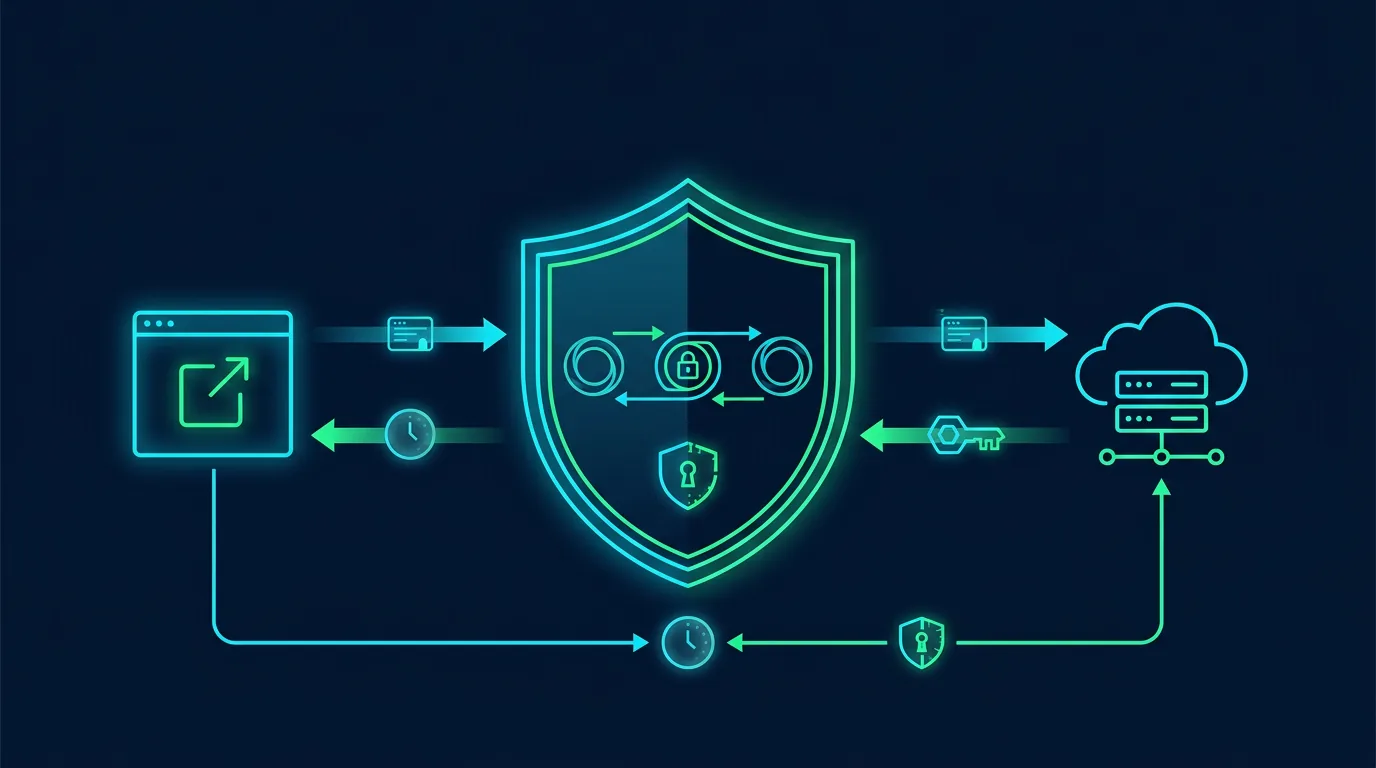
The classic pattern has three stages. First, the attacker compromises an upstream source. This could be a build server, a developer machine, a package registry account, a CI/CD pipeline, or a third-party service with privileged access. Second, the attacker injects malicious code or configuration that survives the normal release process. Third, downstream consumers pull the tainted artifact, verify its signature (which checks out because the legitimate key signed it), and deploy it into production.
The SolarWinds attack followed this template. Russian intelligence compromised the Orion build environment, inserted a backdoor into the software update, and pushed it to eighteen thousand customers. The Kaseya ransomware attack hit a managed service provider tool, encrypting clients of clients. The MOVEit breach exploited a zero-day in a file transfer appliance used by thousands of organizations, exposing data from Shell, British Airways, and US government agencies.
These examples share a trait: the victim did not need to click a phishing link or reuse a password. They only needed to trust their vendor and apply an update. That trust is the attack surface.
Why Small Entities Are Prime Targets
Large enterprises have vendor risk management programs, security questionnaires, contractual audit rights, and sometimes dedicated teams monitoring third-party posture. Small businesses and individuals have none of that. They rely on reputation, price, and convenience when choosing tools. Attackers know this.
A managed service provider serving fifty small clients is a force multiplier. Compromise the MSP remote monitoring tool, and you reach every client network without touching their firewalls. A popular WordPress plugin with a hundred thousand installs is a distribution channel. Inject malicious code into an update, and you get a botnet overnight. A browser extension with two million users that requests "read and change all your data on all websites" is a credential harvester waiting for a maintainer's GitHub account to be phished.
The incentive structure favors attackers. Compromising one upstream target yields thousands of downstream victims. The ROI dwarfs traditional phishing or brute force. Defenders, meanwhile, spread thin across dozens of vendors, lack visibility into vendor security practices, and rarely have leverage to demand better.
Individuals face a version of the same problem. The password manager breach at LastPass exposed encrypted vaults for millions of users. The breach at LastPass happened because an attacker compromised a developer's home network, accessed a cloud storage bucket, and exfiltrated backups. The vendor's security failure became every user's problem. Users who reused master passwords or stored vaults locally without additional encryption faced the highest risk, but every user had to rotate credentials and monitor for abuse.
Common Attack Vectors in the Software Supply Chain
Dependency Confusion and Typosquatting
Modern applications pull hundreds of dependencies from public registries: npm, PyPI, Maven Central, Go modules, crates.io, Docker Hub. Attackers publish malicious packages with names similar to popular libraries (typosquatting) or with higher version numbers than internal private packages (dependency confusion). Build systems that search public registries before private ones will pull the attacker's package instead of the intended one.
The 2021 dependency confusion research by Alex Birsan demonstrated this at scale. He uploaded packages matching internal names from major tech companies to public registries. Build systems inside those companies pulled his packages, executing his code in internal networks. He earned over one hundred thirty thousand dollars in bug bounties. The fix is simple: configure package managers to use private registries exclusively for internal scopes, pin exact versions, and verify integrity hashes. Most small teams do none of this.
Compromised Maintainer Accounts
Open-source projects often rely on volunteer maintainers with varying security hygiene. A phished GitHub credential, a reused password from an unrelated breach, or a compromised email account gives an attacker push access. They can merge malicious commits, publish releases, or modify release artifacts after the build.
The event-stream incident in 2018 showed this clearly. A maintainer handed over a popular npm package to a volunteer who added a malicious dependency targeting a specific cryptocurrency wallet. The malicious code ran only in the target application, evading detection for months. Two million downloads later, the community noticed.
Compromised Build Infrastructure
CI/CD systems like GitHub Actions, GitLab CI, CircleCI, and Jenkins often have broad permissions to publish releases, push container images, and deploy to production. A compromised runner, a leaked secret in a log, or a malicious third-party action can poison the output. The 2021 CodeCov breach exposed this: attackers modified the Bash uploader script to exfiltrate CI environment variables, harvesting secrets from hundreds of organizations.
Malicious Updates to Legitimate Software
This is the hardest to detect. The vendor is legitimate. The signing key is legitimate. The update mechanism is legitimate. But the artifact contains a backdoor. The SolarWinds and Kaseya attacks fall here. So does the 3CX supply chain attack in 2023, where a compromised desktop app installer distributed malware to the VoIP vendor's customers.
For individuals, browser extensions and mobile apps are the most common vector. An extension you installed two years ago gets sold to a data broker who pushes an update that harvests browsing history. A free utility app gets acquired and adds a "analytics" SDK that exfiltrates contacts and location. The update is signed by the same developer key. The app store approves it. You auto-update and never notice.
Compromised Third-Party Services
You do not need to run code from a vendor to be exposed. If your CRM vendor suffers a breach, your customer data leaks. If your email marketing platform is compromised, attackers send phishing emails from your verified domain. If your payment processor has an outage, your revenue stops. These are supply chain risks even without code execution on your systems.
The 2023 MOVEit breach illustrated this at scale. Organizations that never installed MOVEit on their own servers still lost data because their law firms, payroll providers, or benefits administrators used it. The supply chain extends beyond your direct vendors to your vendors' vendors.
Mapping Your Own Supply Chain
You cannot protect what you do not know. Start with an inventory. For a small business, list every SaaS tool, every managed service provider, every freelancer with system access, every software product you run on-premises, and every cloud service. For each, note: what data it touches, what permissions it has, who the vendor is, how you authenticate, and what happens if it disappears tomorrow.
For an individual, list the browser extensions you use, the mobile apps with broad permissions, the password manager, the email provider, the cloud storage, the 2FA apps, the financial apps, and the smart home devices. Note which ones auto-update, which ones you purchased from small developers, and which ones have no clear business model (free tools often monetize data).
This inventory is not a one-time exercise. Schedule a quarterly review. New tools get added. Old ones get abandoned. Vendors get acquired. The map stays current only if you maintain it.
Assessing Vendor Risk Without a Security Team
You will not send a three-hundred-question security questionnaire to every vendor. But you can apply a lightweight filter before you commit.
First, check the vendor's security page. Legitimate companies publish a security.txt, a responsible disclosure policy, SOC 2 reports, ISO certifications, or at least a page describing encryption, access controls, and incident response. If none exists, treat it as a red flag.
Second, search for past incidents. "[Vendor name] breach" or "[vendor name] security incident" often reveals history. A single breach handled transparently is not disqualifying. Repeated breaches, slow disclosure, or lawsuits from customers are warning signs.
Third, evaluate the business model. A tool that is free forever with no enterprise tier likely monetizes user data. A tool funded by venture capital may prioritize growth over security. A bootstrapped profitable company with a clear pricing page often has aligned incentives.
Fourth, test the support channel. Ask a security question before you buy. "Do you support hardware security keys for admin accounts?" "What is your data retention policy?" "Can I export all my data in a standard format?" The speed and quality of the response tells you more than any marketing page.
Fifth, prefer vendors that support open standards. SAML, OIDC, SCIM, and hardware key support mean you can integrate with your own identity provider and enforce your own policies. Proprietary auth systems lock you in and limit your control.
Technical Controls You Can Implement Today
Pin Dependencies and Verify Integrity
If you write code or manage a website, pin every dependency to an exact version. Use lockfiles (package-lock.json, poetry.lock, Cargo.lock, go.sum). Enable integrity verification: npm and Yarn support npm ci with verified lockfiles. Python has pip install --require-hashes. Go has go mod verify. Docker uses content-addressable digests. These prevent silent substitution of malicious versions.
For WordPress sites, use a plugin like WP-CLI to manage updates, or a managed hosting provider that tests updates in staging. Disable auto-updates for plugins from untrusted sources. Audit the plugin list quarterly. Remove anything you do not use.
Use a Software Bill of Materials
An SBOM lists every component in your software, including transitive dependencies. Tools like Syft, CycloneDX, or the GitHub dependency graph generate SBOMs automatically. Feed them into vulnerability scanners like Grype, Trivy, or Dependabot. You get alerts when a CVE affects a component you use, often before the vendor patches.
For small teams, GitHub's Dependabot alerts are free and cover most ecosystems. Enable them. Configure auto-merge for patch-level updates that pass tests. Review major updates manually.
Isolate Third-Party Code
Browser extensions run with the permissions you grant. Audit them. Remove anything you have not used in three months. For the rest, check the permissions: does a reading-mode extension need "read and change all your data on all websites"? Probably not. Use Firefox or Chrome's permission controls to restrict host access where possible.
On mobile, review app permissions quarterly. Revoke location, contacts, microphone, and camera access for apps that do not need them. Use GrapheneOS or a privacy-focused Android build if you can. On iOS, use Lockdown Mode for high-risk scenarios.
For SaaS tools, apply the principle of least privilege. Create dedicated service accounts with scoped API tokens instead of sharing admin credentials. Rotate tokens quarterly. Delete tokens for tools you no longer use.
Monitor for Anomalies
You do not need a SIEM. But you can set up basic alerts. Have I Been Pwned offers domain monitoring for free. Google Alerts on your vendor names catches news. Uptime monitors (UptimeRobot, Better Uptime) detect service outages that might indicate an incident. If you run a website, a file integrity monitor (Wordfence, Sucuri, or a simple cron with Tripwire) alerts on unauthorized changes.
For individuals, a password manager with breach monitoring (Bitwarden, 1Password, Proton Pass) tells you when credentials appear in dumps. Enable it. Act on alerts immediately.
Plan for Vendor Failure
Every vendor will eventually fail you. They get breached. They go bankrupt. They get acquired and shut down. They deprecate the API you depend on. You need an exit plan for each critical dependency.
For data: ensure export capability in standard formats (CSV, JSON, vCard, iCal, SQL dumps). Test the export quarterly. Store backups offline.
For authentication: avoid single sign-on only through a vendor you cannot control. Keep a local admin account. Document the recovery procedure.
For infrastructure: if you rely on a single cloud provider, have a runbook for migrating critical workloads. You do not need a full multi-cloud setup. You need a tested procedure and the data to execute it.
For software: if a critical tool is abandoned, can you fork it? Can you pay someone to maintain it? Can you migrate to an alternative? Know the answer before the crisis.
Contractual and Operational Levers
If you sign contracts with vendors, include security clauses. Right to audit (or receive audit reports). Notification timelines for breaches (seventy-two hours is a common standard). Data processing agreements for GDPR compliance. Liability caps that do not exclude gross negligence. Termination for cause if security standards drop.
For smaller vendors who will not negotiate, your leverage is your wallet. Vote with your feet. Migrate to vendors who take security seriously. The market responds to demand.
Operationally, designate a person (even if it is you) to own vendor risk. They maintain the inventory. They review alerts. They run the quarterly assessment. They execute the exit drill. Without ownership, the inventory rots.
The Human Factor: Social Engineering the Supply Chain
Technical controls matter. But attackers often bypass them by targeting people. The 2022 Uber breach started with an MFA fatigue attack on a contractor. The contractor approved a push notification at 2 AM. The attacker accessed the internal network, found hardcoded secrets in a PowerShell script, and pivoted to privileged systems.
The 2023 MGM Resorts attack began with a phone call to the help desk. The attacker impersonated an employee, convinced support to reset MFA, and gained access to the Okta tenant. From there, they hit the hypervisor and encrypted hundreds of ESXi hosts.
Your vendors' employees are part of your supply chain. Your own employees are part of your vendors' supply chain. Train for verification. "Call back on a known number" is not paranoia. It is hygiene. Require out-of-band confirmation for credential resets, payment changes, and access grants. Make it policy. Make it easy.
Building a Culture of Skepticism
Supply chain security is not a product you buy. It is a habit you build. The habit has three parts.
Question every new dependency. Ask: who maintains this? What is their track record? What happens if they stop? Is there a paid alternative with a security team? Can I write this myself in fifty lines?
Verify before you trust. Check signatures. Compare hashes. Read the changelog. Test in staging. Delay production deployment by twenty-four hours for non-critical updates. The world will not end if you wait a day.
Assume breach. If a vendor you use is compromised tomorrow, what is your first hour? Your first day? Your first week? Write it down. Practice it. The tabletop exercise takes thirty minutes. The real incident takes weeks.
A Practical Checklist for This Week
List your top ten dependencies. SaaS tools, plugins, libraries, services. Rank by impact if compromised.
Check each for a security page. No page equals higher risk. Note which have SOC 2, ISO 27001, or a public bug bounty.
Enable Dependabot or equivalent on every repository you control. Review open alerts.
Audit browser extensions and mobile apps. Remove unused. Restrict permissions on the rest.
Test data export for your top three SaaS tools. Verify you can get your data out in a usable format.
Set up breach monitoring for your domain and key vendor names. HIBP domain watch, Google Alerts, free tier of a threat intel feed.
Document the exit plan for your single most critical vendor. What do you do if they disappear Friday at 5 PM?
Share this list with your team or family. Everyone should know the plan.
The Long View
Supply chain attacks will not stop. The economics favor attackers too strongly. Software complexity grows. Dependency trees deepen. Open-source maintainers burn out. Vendors prioritize features over security. Regulation lags.
But you are not helpless. Every dependency you remove is a door you close. Every vendor you vet is a risk you understand. Every export you test is a recovery you enable. Every conversation you have with your team about verification is a social engineering attempt that fails.
The goal is not zero risk. The goal is risk you can see, measure, and decide on. Start with the inventory. Do it this weekend. The next supply chain breach is not a question of if. It is a question of whether you know your exposure before the headline breaks.
Editorial note: This article reflects threat intelligence and best practices as of July 2026. Supply chain attack techniques evolve rapidly. Verify current guidance from CISA, NIST SSDF, and your industry ISAC before implementing critical controls.