Most security advice is a list of tactics. Use a password manager. Enable 2FA. Update your software. Don't click phishing links. Use a VPN. Freeze your credit. The lists are good. The tactics work. But without a framework, you cannot prioritize. You cannot explain why you do X but not Y. You cannot adapt when your situation changes. You end up doing everything halfway or nothing at all.
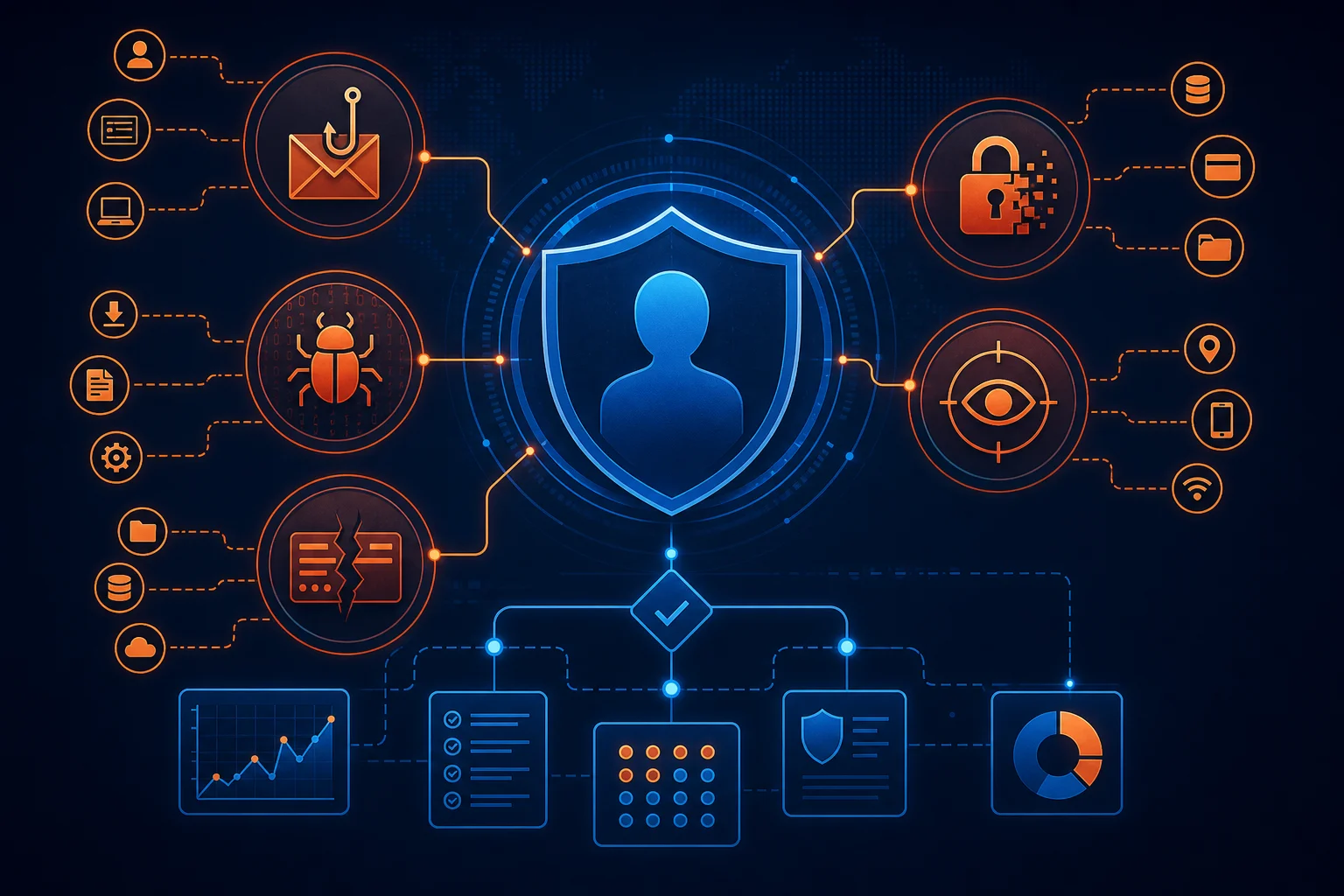
Threat modeling changes that. It is a structured way to think about security. It asks four questions: What am I protecting? Who am I protecting it from? How might they get it? What am I willing to do about it? The answers give you a personalized plan. You spend effort where it matters. You accept risk where it doesn't. You sleep better because you know why you made each choice.
This article teaches a practical threat modeling method adapted from professional frameworks (STRIDE, attack trees, MITRE ATT&CK, kill chains) but stripped of jargon and scaled for individuals and families. You do not need a security degree. You need honesty about your assets, your adversaries, and your constraints. The output is a living document you review quarterly. The process takes two hours the first time, thirty minutes thereafter.
The Four-Question Framework
Every threat model rests on four pillars. Write them down. Keep them visible.
1. What Am I Protecting? (Assets)
Assets are things you value. They have different categories, different sensitivities, and different consequences if lost.
Financial assets: Bank accounts, brokerage, crypto wallets, payment apps, tax records, credit reports. Loss = direct monetary harm, identity theft, credit damage.
Identity assets: Government IDs, passports, Social Security number, birth certificate, driver's license number. Loss = identity theft, fraudulent accounts, legal nightmares.
Account credentials: Email (the master key), password manager, social media, cloud storage, domain registrar, hosting, GitHub, AWS. Loss = cascade compromise, impersonation, data theft, ransomware.
Private communications: Encrypted messages (Signal, WhatsApp), email content, direct messages, voice memos. Loss = personal embarrassment, relationship damage, professional harm, blackmail.
Personal data: Location history, health data, biometrics, search history, purchase history, contacts, calendar. Loss = profiling, stalking, discrimination, targeted attacks.
Devices: Phone, laptop, tablet, hardware keys, external drives, backups. Loss = data access, hardware cost, supply chain risk if replaced.
Intellectual property: Work product, creative writing, code, research, designs, unpublished ideas. Loss = competitive disadvantage, theft, attribution loss.
Reputation: Professional standing, social standing, creditworthiness, online presence. Loss = career harm, social harm, financial harm.
Continuity: Ability to work, communicate, access money, prove identity, recover from disaster. Loss = cascade failure across all above.
List your assets. Be specific. "Email" is not an asset. "Proton Mail account (personal), Google Workspace account (work), iCloud Mail (family)" are assets. Each has different recovery paths, different adversaries, different value.
2. Who Am I Protecting Against? (Adversaries)
Adversaries have capabilities, motivations, and access. They are not all the same. Rank them by likelihood and impact for you.
Opportunistic criminals: Automated tools, credential stuffing, phishing kits, ransomware-as-a-service, info-stealer malware. Motivation: quick money. Capability: low to medium. Access: remote, internet-scale. Target: everyone. This is the baseline threat everyone faces.
Targeted criminals: Stalkers, ex-partners, disgruntled employees, local thieves, scammers who research you. Motivation: specific harm to you. Capability: medium. Access: physical proximity, social engineering, your devices. Target: you specifically.
Corporate surveillance: Ad networks, data brokers, tech platforms, employers, insurers. Motivation: profit, risk assessment, compliance. Capability: high (legal, pervasive). Access: your browsing, apps, devices, public records. Target: populations including you.
State-level actors: Intelligence agencies, law enforcement, military cyber units. Motivation: national security, espionage, dissent suppression. Capability: very high (zero-days, supply chain, legal compulsion). Access: infrastructure, vendors, international cables. Target: high-value individuals, organizations, sometimes bycatch.
Insider threats: Family members, roommates, partners, household staff, repair technicians. Motivation: curiosity, control, financial gain, accident. Capability: physical access, shared accounts, trust. Target: your devices and accounts in the home.
Accidental loss: Hardware failure, lost device, forgotten password, service shutdown, natural disaster, death. Motivation: none. Capability: N/A. Access: your stuff. Target: your continuity.
You do not defend against all adversaries equally. A journalist in an authoritarian state models state actors as primary. A crypto holder models targeted criminals as primary. A retiree models opportunistic criminals and accidental loss as primary. Be honest about your profile.
3. How Might They Get It? (Attack Vectors)
For each asset-adversary pair, trace the paths. This is where STRIDE helps. STRIDE is a mnemonic for six threat categories. Apply it to each asset.
Spoofing: Adversary pretends to be you. Phishing, SIM swap, session hijacking, deepfake voice/video, stolen credentials, forged documents.
Tampering: Adversary modifies your data. Ransomware encryption, malicious browser extension injecting transactions, compromised backup, altered documents, DNS hijacking.
Repudiation: Adversary denies an action you took, or you cannot prove you took it. Missing audit logs, deleted messages, no cryptographic receipts, plausible deniability.
Information Disclosure: Adversary sees what they shouldn't. Data breach, shoulder surfing, screen recording, cloud misconfiguration, malware exfiltration, unencrypted backup, metadata leakage.
Denial of Service: Adversary makes your asset unavailable. Account lockout, DDoS on your site, ransomware, SIM swap cutting 2FA, domain expiration, cloud account suspension.
Elevation of Privilege: Adversary gains more access than intended. Local privilege escalation, container escape, admin token theft, OAuth scope creep, sudo bypass, rootkit.
Map these to your assets. Example: "My email (asset) vs opportunistic criminal (adversary). Spoofing: credential stuffing on reused password. Tampering: email forwarding rule to attacker. Info disclosure: breach at provider. DoS: password reset lockout. Elevation: email used to reset bank password."
4. What Am I Willing to Do? (Mitigations and Acceptance)
Every mitigation has a cost: money, time, convenience, friction, complexity. You have a budget for each. The threat model makes the tradeoffs explicit.
Eliminate: Remove the asset or the vector. Delete old accounts. Stop using the service. Use cash instead of card. Not always possible.
Reduce: Lower likelihood or impact. Unique passwords + password manager reduces credential stuffing. Hardware 2FA reduces phishing. Encrypted backups reduce ransomware impact. Signal reduces message disclosure.
Transfer: Shift risk. Insurance (cyber, identity theft). Custodial services (exchange holds crypto, but adds counterparty risk). Legal structures (LLC for domain portfolio).
Accept: Acknowledge the risk. Do nothing extra. "If my Netflix account is hacked, I reset it. Not worth a hardware key." Document the acceptance. Revisit quarterly.
The output of this step is a prioritized action list. Not "do everything." Do the high-impact, low-cost items first. Accept the rest consciously.
Building Your Personal Threat Model: Step by Step
Step 1: Asset Inventory (30 minutes)
Create a spreadsheet. Columns: Asset, Category, Sensitivity (High/Med/Low), Recovery Difficulty (High/Med/Low), Current Protections, Gaps.
Sensitivity: High = financial ruin, identity theft, career loss, physical danger. Medium = significant hassle, financial loss < $10k, privacy violation. Low = annoyance, recoverable in hours.
Recovery Difficulty: High = no recovery path, legal process, irreversible (crypto, identity). Medium = days to weeks, support tickets, some data loss. Low = minutes to hours, self-service reset.
Fill it in. Be thorough. Include: every email, every financial account, every cloud storage, every domain, every device, every backup, every ID document, every communication channel, every subscription with stored payment.
Example row:
- Asset: Proton Mail (personal)
- Category: Account credentials / Private communications
- Sensitivity: High
- Recovery Difficulty: Medium (recovery phrase + support)
- Current Protections: Hardware 2FA, recovery phrase in safe, no phone recovery
- Gaps: No legacy contact configured
Step 2: Adversary Ranking (15 minutes)
List your adversaries. Rank 1-5 by concern. For each, note: Capability (Low/Med/High), Motivation (Opportunistic/Targeted/Incidental), Access (Remote/Physical/Legal).
Example:
- Opportunistic criminals (Credential stuffing, phishing) - Capability: Med, Motivation: Opportunistic, Access: Remote
- Accidental loss (Hardware failure, lost phone) - Capability: N/A, Motivation: Incidental, Access: Physical
- Corporate surveillance (Google, Meta, data brokers) - Capability: High, Motivation: Profit, Access: Remote/Legal
- Targeted criminals (SIM swap, stalking) - Capability: Med, Motivation: Targeted, Access: Remote/Physical
- State actors - Capability: High, Motivation: Targeted, Access: Legal/Infrastructure (Low concern for me)
Your ranking drives your priorities. If #1 is opportunistic criminals, password manager + hardware 2FA + credit freeze are top. If #2 is accidental loss, backups + recovery testing are top. If #3 is corporate surveillance, de-Googling + hardened browser + VPN are top.
Step 3: Attack Tree for Top Assets (45 minutes)
Pick your top 3-5 assets by (Sensitivity × Recovery Difficulty). For each, draw an attack tree. Root node: "Asset compromised." Child nodes: attack vectors. Grandchildren: specific techniques. Leaves: atomic actions.
Example: "Crypto hardware wallet compromised"
- Physical theft of device
- Home burglary
- Pickpocket / mugging
- Evil maid (hotel room)
- Seed phrase compromise
- Paper backup found
- Photo of seed on phone
- Cloud backup of seed
- Social engineering of family
- Device supply chain attack
- Malicious firmware pre-installed
- Evil maid modifies device
- Coercion
- Duress PIN (if supported)
- Physical threat to holder
For each leaf, note: Adversary (from Step 2), Likelihood (High/Med/Low), Impact (High/Med/Low), Current Mitigation, Gap.
This is the heart of the model. It forces you to see the full attack surface. You will find gaps you missed.
Step 4: Mitigation Planning (30 minutes)
For each gap in Step 3, propose a mitigation. Estimate: Cost ($), Time (hours), Friction (High/Med/Low), Effectiveness (High/Med/Low).
Example:
Gap: Seed phrase paper backup in desk drawer
Mitigation: Move to fireproof safe in hidden location
Cost: $50 (safe), Time: 1 hr, Friction: Low, Effectiveness: High
Decision: Do it this weekend.
Gap: No duress PIN on hardware wallet
Mitigation: Upgrade to wallet supporting duress (Trezor, Coldcard) or accept risk
Cost: $150, Time: 2 hrs migration, Friction: Med, Effectiveness: High
Decision: Schedule for next month.
Gap: Phone has photos of seed (deleted but recoverable)
Mitigation: Factory reset phone, restore from clean backup
Cost: $0, Time: 2 hrs, Friction: High, Effectiveness: High
Decision: Do it tonight.
Prioritize by (Effectiveness × Likelihood × Impact) / (Cost + Friction). Do the high-ratio items first.
Step 5: Acceptance Register (15 minutes)
List every gap you decide NOT to mitigate. For each: Asset, Adversary, Vector, Reason (Cost too high / Friction too high / Likelihood too low / Impact acceptable / Out of scope).
Example:
- Asset: Netflix account
- Adversary: Opportunistic criminal
- Vector: Credential stuffing
- Reason: Impact low (reset password), friction of hardware key not worth it for streaming. Accept.
Review this register quarterly. Circumstances change. What you accepted last year may be unacceptable today.
Step 6: The Living Document
Combine Steps 1-5 into one document (encrypted note, printed binder, password manager secure note). Structure:
- Asset Inventory (table)
- Adversary Ranking (list with rationale)
- Attack Trees (for top 5 assets)
- Mitigation Plan (prioritized table with status: Done / In Progress / Planned / Accepted)
- Acceptance Register (table)
- Review Log (date, changes, next review date)
Set a calendar reminder: Quarterly review. 30 minutes. Update assets. Re-rank adversaries. Check mitigation status. Test one recovery. Add new gaps. Remove resolved ones.
Applying Professional Frameworks Lightly
STRIDE per Asset
You already used STRIDE in Step 3. For each asset, write the six STRIDE categories and one-sentence threat. This ensures coverage.
Kill Chain Mapping
The Cyber Kill Chain (Recon → Weaponization → Delivery → Exploitation → Installation → C2 → Actions) maps to personal attacks too.
- Recon: Attacker finds your email on LinkedIn, your phone in a breach, your address in public records.
- Weaponization: Attacker crafts phishing email with your bank logo, buys SIM swap service, prepares malware.
- Delivery: Email sent, SMS sent, malicious link posted, USB dropped.
- Exploitation: You enter credentials, SIM swapped, you open file, you plug USB.
- Installation: Malware persists, attacker adds forwarding rule, attacker enrolls their 2FA.
- C2: Attacker reads email, drains crypto, posts as you, encrypts files.
- Actions: Money moved, data sold, accounts ransomed, reputation ruined.
Defense at each stage:
- Recon: Minimize public footprint. Opt out of data brokers. Use aliases.
- Weaponization: Not defendable (attacker side).
- Delivery: Email filtering, SMS awareness, no random USB, hardened browser.
- Exploitation: Hardware 2FA (phishing fails), password manager (no reuse), no admin daily driver.
- Installation: EDR/AV, restricted execution, app allowlisting.
- C2: Network monitoring, DNS filtering, egress firewall.
- Actions: Immutable backups, transaction alerts, account recovery prep.
You cannot stop all stages. You choose where to invest based on your adversary ranking.
MITRE ATT&CK for Mobile/Cloud
MITRE ATT&CK has matrices for Mobile, Cloud, Enterprise. Browse the Mobile matrix (attack.mitre.org/matrices/mobile). See techniques: "Phishing: SMS," "Exploit Public-Facing Application," "Valid Accounts," "OS Credential Dumping." Match to your attack trees. It gives you vocabulary to research specific defenses.
Common Personal Threat Models
The Crypto Holder
Top Assets: Hardware wallet, exchange accounts, seed phrases, email (recovery), phone (SIM). Top Adversaries: Targeted criminals (SIM swap, phishing, physical), Opportunistic criminals (credential stuffing), Insider (family/roommate). Key Vectors: SIM swap → email reset → exchange drain. Phishing → malware → clipboard hijack → seed theft. Physical theft → seed extraction. Supply chain → malicious firmware. Priority Mitigations: Hardware 2FA on email/exchanges (no SMS). No seed photos. Seed in safe (Shamir split). Duress wallet. Separate phone for 2FA (no SIM). Exchange withdrawal whitelists. Multi-sig for large holdings.
The Journalist / Activist
Top Assets: Sources' identities, unpublished work, communications, location, devices, accounts. Top Adversaries: State actors (legal compulsion, zero-days, supply chain), Targeted criminals (doxxing, harassment), Corporate surveillance (subpoenas). Key Vectors: Device seizure at border. Spyware (Pegasus, Predator). Subpoena to cloud provider. Phishing with tailored lure. Network interception. Metadata analysis. Priority Mitigations: Signal (disappearing messages). GrapheneOS or Lockdown Mode. No cloud backups of sensitive data. VeraCrypt hidden volumes. Lawyer contact pre-arranged. Pseudonymous accounts for research. Burner devices for high-risk meetings. No biometrics (compellable). Duress passwords.
The Remote Worker / Digital Nomad
Top Assets: Work credentials, client data, code access, financial accounts, devices, connectivity. Top Adversaries: Opportunistic criminals (public WiFi, credential stuffing), Corporate surveillance (employer monitoring), Accidental loss (theft, damage, border seizure), Targeted criminals (spear phishing for corporate access). Key Vectors: Hotel WiFi MITM. Shoulder surfing in cafes. Laptop theft from Airbnb. Employer MDM / spyware. Phishing targeting corporate VPN. Border device search. Priority Mitigations: WireGuard VPN to trusted exit (self-hosted or Mullvad/AzirVPN). Privacy screen. Encrypted disk (BitLocker/FileVault/LUKS). Hardware 2FA for all work accounts. Separate work/personal devices. Travel with minimal data. Cloud-only workflow (no local secrets). Border crossing protocol (power off, lawyer number).
The Family Manager
Top Assets: Family photos, kids' identities, financial accounts, medical records, school accounts, smart home, location. Top Adversaries: Opportunistic criminals (family phishing, credential stuffing), Corporate surveillance (kids' data, smart toys), Accidental loss (lost phone, forgotten password, death), Insider (kids installing malware, ex-partner). Key Vectors: Kid clicks malicious link → malware → keylogger → parent bank. Smart toy breach → kids' voice/location. School platform breach → SSN. Ex-partner retains access to shared accounts. Parent dies → no access to anything. Priority Mitigations: Family password manager (1Password Families, Bitwarden Organizations). Parental controls + approved app list. Kids' credit freeze. Shared photo library (iCloud/Google). Digital estate plan (legacy contacts, emergency access). Guest network for IoT. Regular "security Sunday" with kids.
The Retiree / Non-Technical User
Top Assets: Bank accounts, Social Security, Medicare, email, photos, phone, medical portal. Top Adversaries: Opportunistic criminals (grandparent scam, tech support scam, phishing), Accidental loss (forgotten password, lost phone, death), Insider (caregiver, family financial abuse). Key Vectors: Phone scam ("IRS," "grandson in jail"). Tech support scam ("your computer has a virus"). Phishing email ("Medicare card update"). Malware from "free" software. Forgotten password → lockout → no recovery. Priority Mitigations: Simple password manager (Bitwarden, Proton Pass) with emergency access for trusted child. Hardware key (YubiKey Bio - fingerprint, no PIN). Credit freeze. Call blocking (carrier + app). No remote access software (TeamViewer, AnyDesk). Printed cheat sheet: "Bank never calls for password. Hang up. Call number on card." Digital estate plan.
Tools for Threat Modeling
Draw.io / diagrams.net: Free, browser-based, saves to local file or cloud. Good for attack trees.
Threat Dragon (OWASP): Free, open source, web and desktop. Guided STRIDE modeling. Exports JSON.
SeaSponge: Free, web-based, attack tree focused. Simple.
Microsoft Threat Modeling Tool: Free, Windows only, STRIDE-based, enterprise-oriented but usable.
Pen and paper: Fastest for first pass. Photo it. Digitize later.
Password manager secure note: Stores the living document encrypted. Accessible on all devices.
The Quarterly Review Ritual
Schedule 90 minutes. Same day each quarter (equinoxes/solstices work well).
- Pull the document. Read it. Does it still reflect your life?
- Update assets. Add new accounts. Remove closed ones. Adjust sensitivity.
- Check adversaries. Any new threats? (New job, new location, news events, family changes.)
- Review mitigations. Mark done. Move in-progress. Add new gaps from life changes.
- Test one recovery. Pick a critical account. Simulate loss: delete authenticator, use backup key, use recovery code. Verify it works. Document time and friction.
- Rotate one secret. Change one password. Rotate one API key. Re-enroll one hardware key.
- Update acceptance register. Any accepted risks now unacceptable? Any unacceptable now accepted?
- Log the review. Date, changes, next date.
The review is the model. Without it, the document rots. With it, the model evolves with you.
When to Seek Professional Help
Threat modeling scales. For individuals and families, this framework suffices. For small businesses, add: data flow diagrams, trust boundaries, regulatory requirements (GDPR, HIPAA, PCI), vendor risk, incident response plan. For high-net-worth individuals, add: executive protection, physical security, travel security, family office coordination, kidnap/ransom insurance. For organizations, hire a security firm for formal threat modeling workshops.
But the core habit asset, adversary, vector, mitigation, acceptance remains the same. Start personal. Master the habit. Scale when needed.
Your First Model Tonight
Do not overthink. Open a spreadsheet. List ten assets. Rank three adversaries. Pick your #1 asset. Draw its attack tree on paper. Find one gap. Fix it this week. That is threat modeling. The rest is refinement.
Security is not a product. It is a process. Threat modeling is the process that keeps the process honest.
Editorial note: This framework adapts established methodologies (STRIDE, kill chain, MITRE ATT&CK) for personal use. It is not a substitute for professional risk assessment in regulated or high-consequence environments. Tailor the depth to your actual risk profile. The best threat model is the one you actually maintain.