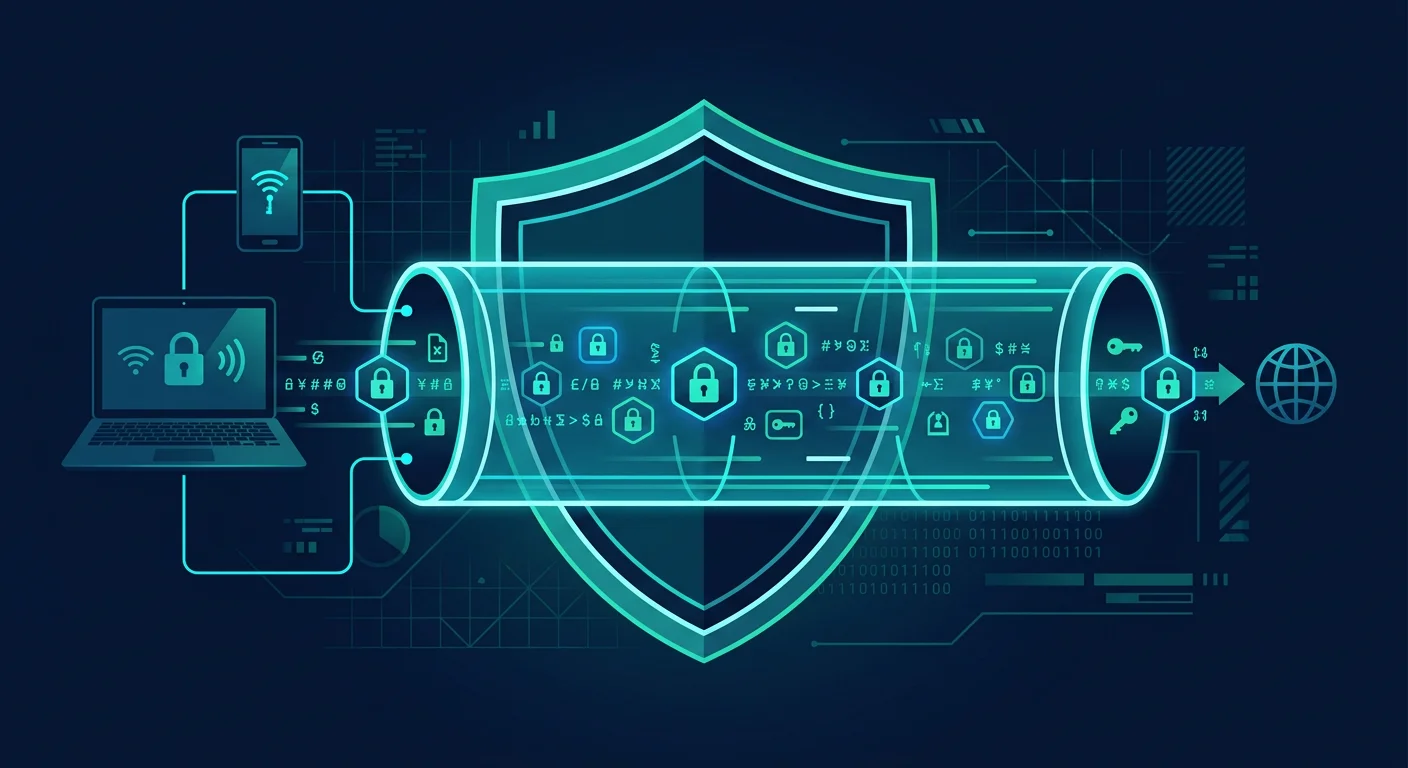
A VPN (Virtual Private Network) is one of the most heavily marketed and most misunderstood security tools. Advertisements portray VPNs as a total solution for online privacy, but the reality is more limited. A VPN does one thing well: it encrypts internet traffic between your device and the VPN server. Everything else depends on who runs that server and what they do with your data.
What a VPN actually does
When you connect to the internet without a VPN, your data flows from your device to your router, then to your ISP, then to the destination server. Your ISP can see which sites you visit, even though HTTPS-encrypted content remains unreadable to them. With a VPN, your traffic is routed through an encrypted tunnel to the VPN server first. Your ISP only sees a connection to the VPN server, not the destination site. The site you visit sees the VPN server's IP address, not yours. This is useful in certain situations. But a VPN is not an invisibility cloak.
When a VPN truly helps
Public WiFi. When you connect to a cafe, airport, or hotel WiFi, your traffic passes through a network managed by others. A VPN prevents that network operator from seeing or modifying your traffic. This is the most solid use case for a VPN.
Hiding activity from your ISP. Some ISPs sell browsing data to third parties or enforce content restrictions. A VPN prevents your ISP from seeing specific sites you visit, although they still know you are online and how much data you use.
Accessing geo-restricted services. Some streaming content or services are only available in certain countries. A VPN allows connection through a server in the appropriate region. Note that this may violate platform terms of service.
When a VPN does not help
Protecting against malware. A VPN does not block viruses, ransomware, or phishing. You still need antivirus software and safe browsing habits.
Hiding your identity completely. A VPN hides your IP from visited sites, but not from the VPN provider itself. Browser fingerprinting, cookies, and account-based tracking (Google, Facebook) continue working even with a VPN active.
Securing already-encrypted connections. HTTPS sites already encrypt data between your browser and the server. A VPN adds an outer encryption layer, but data you submit to sites (forms, logins, payments) remains visible to those sites.
6 criteria for choosing a safe VPN
1. Independently verified no-log policy
Many VPNs claim "no-log" but actually store connection metadata. Look for VPNs whose no-log policies have been audited by independent firms like PwC, Deloitte, or Cure53. Audit reports should be published, not just claimed on marketing pages.
2. Modern encryption protocols
A trustworthy VPN uses WireGuard or OpenVPN with AES-256 encryption. Avoid outdated protocols like PPTP or L2TP without IPSec, which have known security weaknesses.
3. A working kill switch
A kill switch cuts your internet connection if the VPN tunnel drops, preventing data from leaking through the regular connection. This feature should be enabled by default and tested to work, not just listed in feature specs.
4. Company jurisdiction
The VPN company's location determines which laws apply. Countries in the Five Eyes alliance (US, UK, Australia, Canada, New Zealand) can be compelled to hand over data by court order. Jurisdictions like Switzerland, Panama, or the British Virgin Islands have stronger privacy protections.
5. Transparency track record
Check whether the VPN has experienced security incidents and how they handled them. A VPN honest about its problems is more trustworthy than one that never acknowledges any incidents.
6. Clear business model
Free VPNs must fund their operations somehow. If you are not paying for the service, your data may be what is being sold. Paid VPNs with clear subscription models have incentives more aligned with user privacy.
Common VPN user mistakes
- Feeling invincible after installing a VPN. A VPN is one layer of protection, not a replacement for all other security practices.
- Using free VPNs without understanding the risks. Studies show many free VPNs inject trackers, sell data, or even insert ads into your traffic.
- Not testing the connection. After setting up a VPN, check for DNS leaks or WebRTC leaks through sites like ipleak. Net.
Frequently asked questions
Is a VPN legal?
In most countries, VPNs are legal. Some countries with strict internet restrictions limit or ban VPNs. Check the laws applicable in your jurisdiction.
Does a VPN slow down the internet?
Yes, slightly. Data must pass through the VPN server before reaching its destination. High-quality VPNs with nearby servers typically add only 5-15% latency.
Do I need a VPN at home?
If your home WiFi is secured with WPA2/WPA3 and you do not need to hide activity from your ISP, a home VPN is optional. VPNs are most valuable on networks you do not control.
Sources and further reading
- EFF: Choosing the VPN That's Right for You
- Privacy Guides: VPN Recommendations
- RestorePrivacy: VPN Audit Reports
Editorial note: This article is educational and does not recommend specific VPN products. Evaluate your needs and choose a service based on relevant criteria.